
How can game teams use AI video for trailers and store pages?
Generate one cinematic environment, lore beat or atmosphere shot from a prompt or approved concept image, then cut it into a trailer, store-page background or social post. Everygen is useful for early mood pieces, announcement teasers and supplementary visuals while real gameplay footage and engine captures remain the source of truth.
- Use one location, character beat or mood per clip.
- Keep logos, ratings, store badges and UI outside the generated frame.
- Describe one camera move rather than a full multi-scene trailer.
- Review the result for invented assets, text or mechanics before publishing.
Which gaming clips fit Everygen?
Environment reveals, lore atmosphere, faction or world teasers, announcement backgrounds, item and store-page visuals and social cutdowns fit the current studio. Real gameplay, HUD elements, character skill demonstrations, engine cinematics and precise asset views do not.
Use 16:9 for store pages, trailers and press assets.
Use 9:16 for Shorts, TikTok and announcement cutdowns.
Use concept art as a first frame for world and character direction.
Keep gameplay capture and engine renders as the authoritative source.
How can you keep game lore and assets consistent?
Start from approved concept art or key art and name the elements that must remain fixed: silhouette, faction colors, architecture, costumes and environment rules. Avoid asking the model to invent new mechanics, characters or story canon. Review every frame with the narrative and art teams before it becomes public material.
- Describe a camera or atmosphere move rather than rebuilding the world in text.
- Avoid prompts that add races, classes, weapons or lore not in the source.
- Keep readable UI, subtitles and store text out of the generated frame.
- Use the approved art bible and engine assets for canon review.
Should gaming clips use Seedance 2.5 or Kling 3.0 Turbo?
Kling 3.0 Turbo is a lower-cost way to test short 720p environment and atmosphere motion. Seedance 2.5 is better when the final concept needs 1080p, a longer duration, additional aspect ratios or native ambience. Neither model produces real gameplay or verifies game canon.
Kling 3.0 Turbo costs 9 credits for 4 seconds and 18 credits for 8 seconds at 720p.
Seedance 2.5 costs 16 credits for 4 seconds at 720p and 18 credits at 1080p.
Test one environment and one atmosphere beat before producing a full teaser set.
What can Everygen not do for game development?
Everygen cannot capture gameplay, connect to Unity, Unreal or a custom engine, render in real time or produce accurate character rigs, animations, mechanics or UI. It does not guarantee asset or lore accuracy and does not license copyrighted characters, music, fonts or franchise material. Generated clips are cinematic concepts, not playable or engine-validated content.
Use gameplay capture and engine renders for storefront and press requirements.
Do not present generated frames as actual gameplay or in-game screenshots.
Clear music, fonts and character rights before publishing.
Disclose synthetic footage where the platform or publisher requires it.
What are good prompt examples?
Strong prompts describe a visible action, one location and one camera direction. Adapt the subject and product details rather than copying a prompt without checking the result.
Fantasy citadel reveal
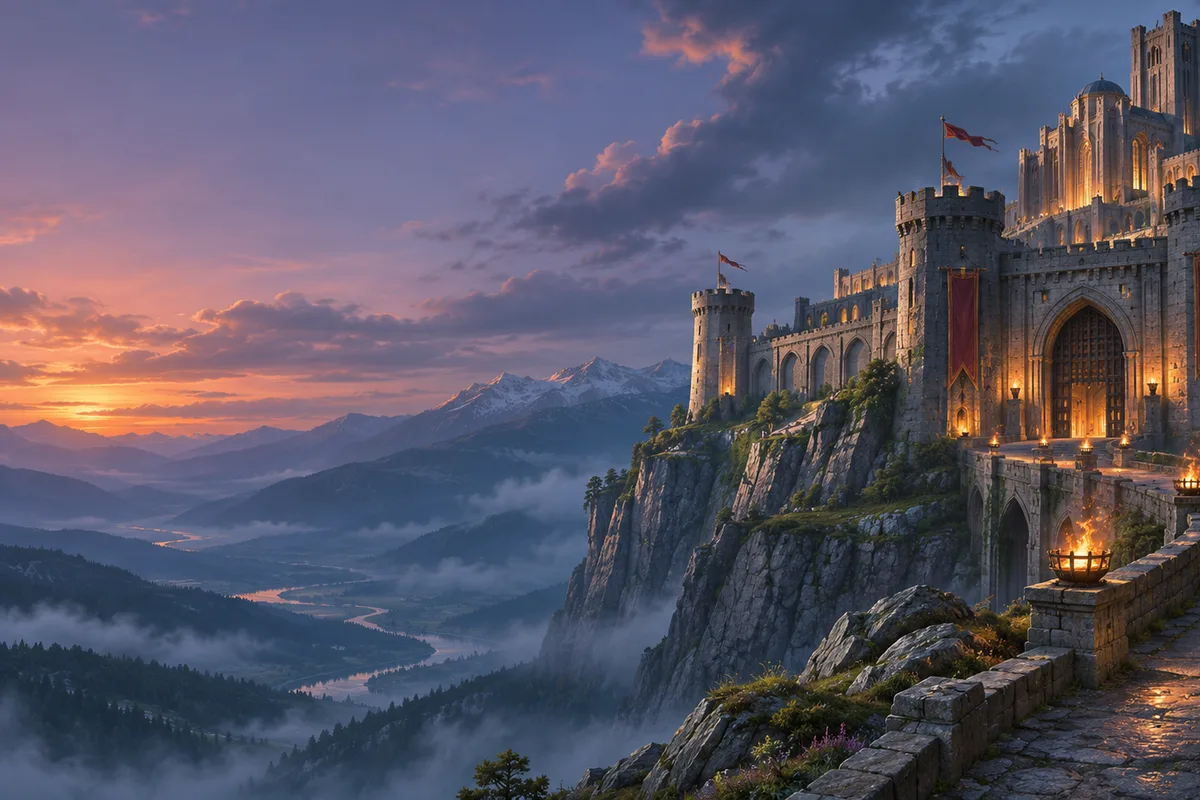
Slow cinematic push toward an original fantasy stone citadel on a cliff at dusk, banners moving in the wind, warm torchlight against blue evening haze, distant mountains, no characters, UI, text, logos or recognizable franchise symbols.
Sci-fi corridor atmosphere
Gentle camera glide through an original abandoned sci-fi corridor, dim emergency lighting, drifting dust and faint steam, wet metal floor reflections, slow flickering light, no characters, HUD, text or branded technology.
Post-apocalyptic landscape
Wide cinematic shot across an original post-apocalyptic valley at dawn, overgrown ruins, a broken highway and distant storm clouds, slow cloud movement and wind in dry grass, no people, vehicles, text or recognizable game assets.
Gaming clip credit comparison
Credit totals use the current Everygen studio settings and are rounded up to a whole credit for each generation.
| Model | Length | Resolution | Credits |
|---|---|---|---|
| Kling 3.0 Turbo | 4 sec | 720p | 9 |
| Kling 3.0 Turbo | 8 sec | 720p | 18 |
| Seedance 2.5 | 4 sec | 720p | 16 |
| Seedance 2.5 | 4 sec | 1080p | 18 |
What matters most before you generate?
- Start with one clear action and one camera direction so the model has a specific motion to solve.
- Upload a clean first frame whenever product shape or a particular scene must stay consistent.
- Test a short, lower-cost generation before committing to a longer Seedance render.
- Review text, hands, product details, audio and disclosure requirements before publishing.