
Can Everygen create a cartoon video from text or an image?
Yes. Text-to-video is best for an original scene design, while image-to-video is best when a character, prop or visual style must stay anchored to a supplied frame. Both workflows generate motion rather than a complete edited episode.
- Describe an original character instead of asking for a copyrighted one.
- Keep one action and one camera move inside each clip.
- Use a clean first-frame image for a specific character silhouette or color palette.
Which cartoon styles work in an AI video generator?
Clear style language works best: 2D storybook animation, hand-drawn ink, stop-motion-inspired miniature or polished 3D family animation. State the rendering style, edge treatment, lighting and texture instead of relying on one generic “cartoon” label.
Use “flat colors and clean outlines” for a simple 2D look.
Use “soft materials, rounded forms and cinematic lighting” for 3D animation.
Use “paper grain, painted backgrounds and visible brush texture” for a storybook feel.
Avoid combining several incompatible styles in one brief.
How do you keep a cartoon character consistent?
Start from a strong first-frame image and repeat the character’s identifying details in the prompt: species or body shape, clothing, colors, facial marks and proportions. Generate a short shot and reject any result that changes those anchors.
- Create separate shots instead of asking the model to cut between scenes.
- Keep the character fully visible in the first frame.
- Avoid dramatic turns that hide identifying details.
- Use an editor and repeated reference assets for a multi-shot story.
Should cartoon clips use Seedance 2.5 or Kling 3.0 Turbo?
Use Kling 3.0 Turbo for fast 720p motion tests and Seedance 2.5 when you need 1080p, native audio, longer clips or extra aspect ratios. The best choice depends more on motion and duration than on the word “cartoon.”
A 4-second Kling 720p clip costs 9 credits; an 8-second clip costs 18 credits.
A 4-second Seedance 720p clip costs 16 credits; 1080p costs 18 credits.
Generate the motion at the intended final aspect ratio to avoid awkward crops.
What can Everygen not do for cartoon production?
Everygen does not create a full animated episode, manage a reusable character sheet, guarantee lip-sync or preserve exact design details across unrelated generations. It also does not generate existing franchise characters or authorize their use.
Write an original character or use assets you have the right to animate.
Add dialogue, voice acting, captions and sound design in an editor.
Review faces, hands, limbs and continuity before publishing.
What are good prompt examples?
Strong prompts describe a visible action, one location and one camera direction. Adapt the subject and product details rather than copying a prompt without checking the result.
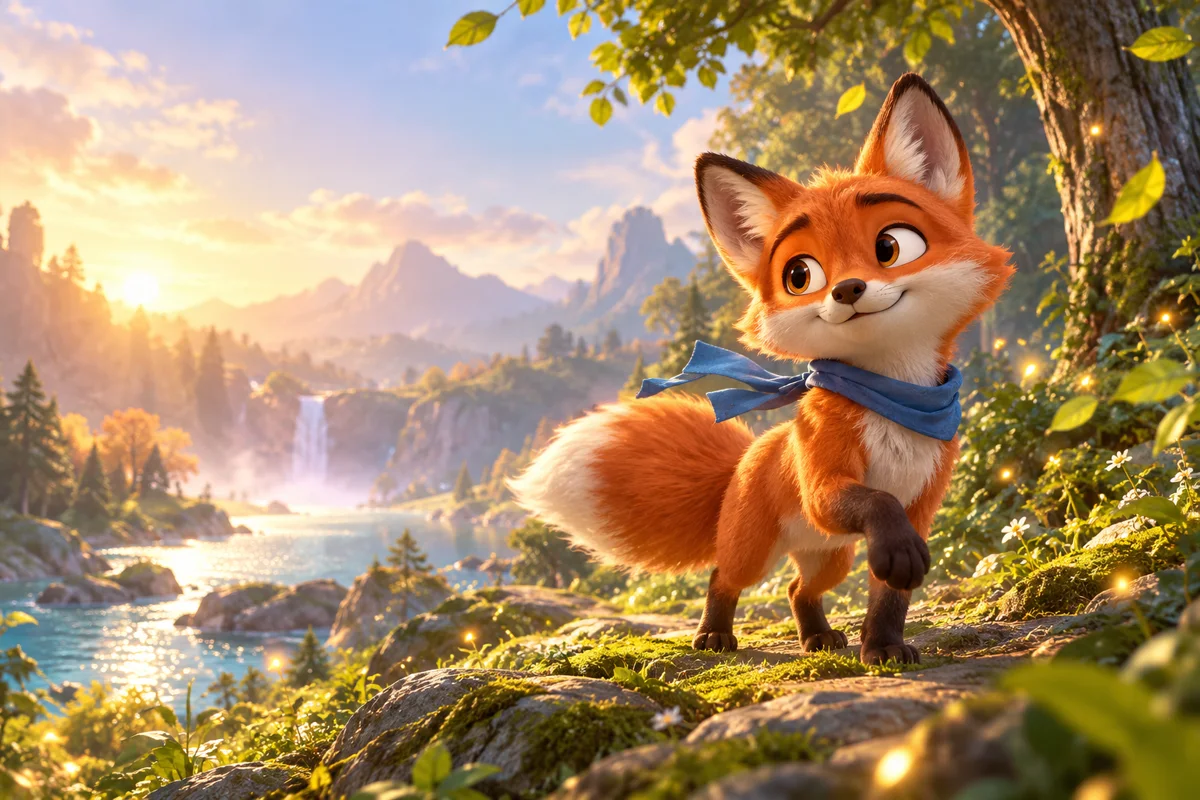
3D forest character
Original small red fox with a blue scarf walks one step through a sunlit storybook forest, leaves drift in a light breeze, soft rounded 3D animation, cinematic family-film lighting, slow camera push, preserve character colors and proportions.
2D storybook scene
Hand-drawn 2D storybook animation of a tiny green frog rowing a leaf boat across a quiet pond, clean outlines, painted watercolor background, gentle ripple motion, one slow lateral camera move, no text.
Miniature stop-motion
Stop-motion-inspired miniature cardboard city at night, a small origami bird flaps once and glides between paper buildings, visible craft texture, warm practical lights, subtle handheld camera movement, original character design.
Cartoon clip planning guide
Credit totals use the current Everygen studio settings and are rounded up to a whole credit for each generation.
| Scene | Useful motion | Suggested length | Recommended model |
|---|---|---|---|
| 3D character walk | One step and camera push | 4–6 sec | Kling draft |
| 2D storybook scene | Environment and camera motion | 4–8 sec | Seedance |
| Miniature world | Small prop movement | 4–6 sec | Kling draft |
| Dialogue concept | One reaction or gesture | 4–6 sec | Seedance |
What matters most before you generate?
- Start with one clear action and one camera direction so the model has a specific motion to solve.
- Upload a clean first frame whenever product shape or a particular scene must stay consistent.
- Test a short, lower-cost generation before committing to a longer Seedance render.
- Review text, hands, product details, audio and disclosure requirements before publishing.