
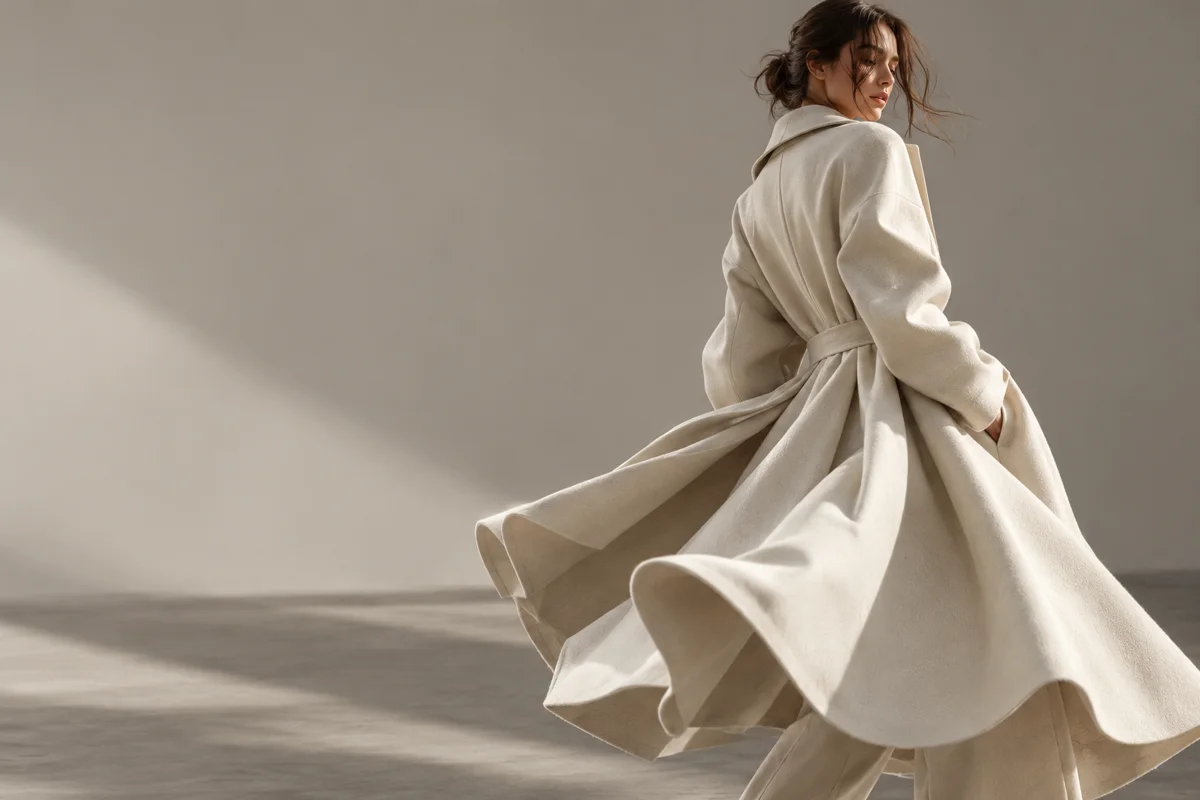
Can Everygen turn a fashion image into a video?
Yes. Upload a lookbook, product-detail or editorial image as the first frame, then describe one motion such as a gentle turn, fabric lift or slow camera movement. The image remains the visual anchor for color, silhouette and composition.
- Use a sharp image with the full garment visible when construction matters.
- Keep the requested movement small enough to preserve the fabric pattern.
- Describe the intended motion of sleeves, hems or lightweight material.
- Do not ask the model to replace the talent or change the garment design.
Which fashion videos can Everygen make?
The best use cases are lookbook teasers, fabric close-ups, accessory reveals and simple ecommerce motion clips. These shots add movement to campaign assets without pretending to be a full virtual try-on session.
For a model still, request a slight turn, a single step or natural hair and fabric movement.
For a flat-lay or product shot, use a controlled rotation, camera push or falling-light effect.
For a textile detail, focus on weave, sheen and folds rather than changing the entire garment.
Keep generated motion in the central safe area for vertical placements.
How do you write a fashion video prompt?
Describe the garment, the exact motion and what must stay consistent. A useful prompt is: “slow three-quarter turn, coat hem lifts slightly in a light breeze, preserve fabric color and silhouette, soft studio side light, subtle camera push.”
- Name the material or visible behavior: linen, silk, knit, denim or leather.
- Describe one body or camera movement instead of a full runway sequence.
- State that color, pattern and garment structure must remain stable.
- Keep brand marks, legible labels and small text out of the prompt.
Should fashion clips use Kling 3.0 Turbo or Seedance 2.5?
Kling 3.0 Turbo is a low-cost way to test short 720p motion, while Seedance 2.5 adds 1080p, native audio and longer durations. For a clean product page loop, start with a short Kling draft and move to Seedance only when quality or length requires it.
A 4-second Kling 720p draft costs 9 credits.
A 4-second Seedance 720p clip costs 16 credits; 1080p costs 18 credits.
Check hands, faces, buttons, seams and printed details at full size before approving a shot.
What are the limits of AI fashion video?
Everygen does not guarantee identity preservation, exact garment reconstruction, virtual try-on or physically accurate cloth simulation. Generated footage needs review for warped patterns, changing seams and invented design details.
Use the first-frame workflow when a specific garment or look must remain recognizable.
Do not present a generated look as the exact fit, feel or finish of a product without verification.
Disclose synthetic imagery where required and retain the rights needed for the source image.
What are good prompt examples?
Strong prompts describe a visible action, one location and one camera direction. Adapt the subject and product details rather than copying a prompt without checking the result.
Coat turn
Anonymous adult model slowly turns three-quarters away from camera, long cream wool coat flows naturally in a light breeze, preserve fabric color and silhouette, soft editorial side light, subtle push-in.
Linen detail
Macro camera glide across a neutral linen sleeve, fine weave and natural folds move gently in a light breeze, warm studio light, keep seams and stitching stable, no labels.
Accessory reveal
Close product shot of an unbranded sculptural handbag on stone, slow half rotation with soft shadow movement, premium neutral studio, keep hardware shape and material texture consistent.
Fashion clip planning guide
Credit totals use the current Everygen studio settings and are rounded up to a whole credit for each generation.
| Asset | Useful motion | Suggested length | Format |
|---|---|---|---|
| Lookbook portrait | Subtle turn | 4–6 sec | 9:16 |
| Fabric detail | Macro glide | 4–6 sec | 9:16 |
| Product still | Half rotation | 4–8 sec | 1:1 |
| Editorial scene | Slow push-in | 6–10 sec | 16:9 |
What matters most before you generate?
- Start with one clear action and one camera direction so the model has a specific motion to solve.
- Upload a clean first frame whenever product shape or a particular scene must stay consistent.
- Test a short, lower-cost generation before committing to a longer Seedance render.
- Review text, hands, product details, audio and disclosure requirements before publishing.