
How do gyms and studios create promo videos with AI?
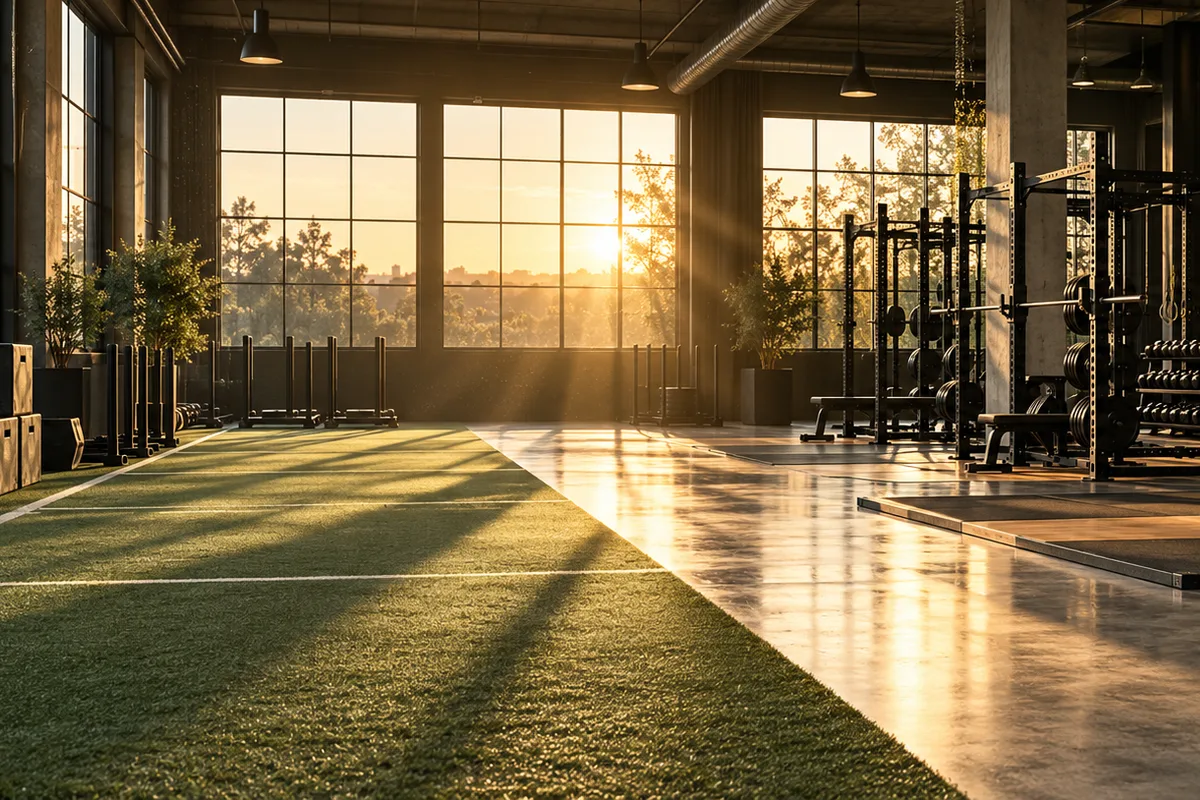
Upload a clear facility, equipment or studio image as the first frame and describe one motion idea, such as a slow push through the training floor, light moving across equipment or a curtain shifting in a studio. Facility stills keep the space recognizable while the prompt adds motion and atmosphere without filming a full class.
- Use a wide, well-lit photo with stable vertical lines.
- Describe one camera move or environmental motion.
- Keep schedules, prices and membership claims outside the generated frame.
- Check equipment, layout and branding against the real facility.
Which fitness clips work for social and local ads?
Facility reveals, equipment details, empty studio atmosphere, recovery and wellness scenes and membership-offer backgrounds work well as short clips. The strongest approach is one space and one feeling per clip rather than asking the model to invent a full workout narrative.
Use 9:16 for Reels, TikTok and Shorts gym tours.
Use 16:9 for websites, Google Business Profile and YouTube ads.
Use equipment macros for strength, cardio and recovery highlights.
Keep people secondary when exact identity or exercise form matters.
How can you show a facility without filming a class?
Use existing facility photos as the visual anchor and animate light, air, curtains or a restrained camera glide. This creates a clean promo background without staging clients or claiming a specific class happened. Add real trainer footage, schedules and testimonials separately.
- Use one photo per room or training zone.
- Avoid prompts that add people, equipment or amenities not in the source.
- Keep movement gentle so racks, mirrors and floor lines remain stable.
- Use real footage when a post must prove a class, coach or result.
Should fitness clips use Seedance 2.5 or Kling 3.0 Turbo?
Kling 3.0 Turbo is a lower-cost way to test short 720p facility motion. Seedance 2.5 is better when the final concept needs 1080p, a longer duration, additional aspect ratios or native ambience. Neither model guarantees accurate exercise form or body transformation.
Kling 3.0 Turbo costs 9 credits for 4 seconds and 18 credits for 8 seconds at 720p.
Seedance 2.5 costs 16 credits for 4 seconds at 720p and 18 credits at 1080p.
Test one facility reveal and one equipment detail before producing a full promotion set.
What does Everygen not guarantee for fitness content?
Everygen does not guarantee body transformations, weight loss, muscle gain, exercise technique, trainer identity or facility accuracy. It does not provide licensed music, verified testimonials or medical and safety guidance. Generated clips are visual concepts, not evidence of a program, result or professional service.
Do not use generated footage as proof of a client result or transformation.
Use qualified trainers for exercise demonstrations and safety guidance.
Add schedules, prices, disclaimers and approved music in an editor.
Check equipment, layout and branding against the real facility.
What are good prompt examples?
Strong prompts describe a visible action, one location and one camera direction. Adapt the subject and product details rather than copying a prompt without checking the result.
Empty gym reveal
Slow cinematic push through an empty modern strength gym at sunrise, rows of unbranded racks and dumbbells, warm light across rubber flooring, dust motes in the air, preserve equipment layout and ceiling lines, no people, text or logos.
Studio detail
Gentle lateral glide across a calm boutique fitness studio, reformer-style equipment, folded towels and green plants, soft morning light through large windows, sheer curtain movement, preserve room geometry, no people or readable text.
Outdoor training atmosphere
Slow camera rise across an empty outdoor training area at golden hour, turf lane, battle ropes and kettlebells, long shadows, light breeze moving nearby grasses, preserve equipment positions, no people or brand marks.
Fitness clip credit comparison
Credit totals use the current Everygen studio settings and are rounded up to a whole credit for each generation.
| Model | Length | Resolution | Credits |
|---|---|---|---|
| Kling 3.0 Turbo | 4 sec | 720p | 9 |
| Kling 3.0 Turbo | 8 sec | 720p | 18 |
| Seedance 2.5 | 4 sec | 720p | 16 |
| Seedance 2.5 | 4 sec | 1080p | 18 |
What matters most before you generate?
- Start with one clear action and one camera direction so the model has a specific motion to solve.
- Upload a clean first frame whenever product shape or a particular scene must stay consistent.
- Test a short, lower-cost generation before committing to a longer Seedance render.
- Review text, hands, product details, audio and disclosure requirements before publishing.