
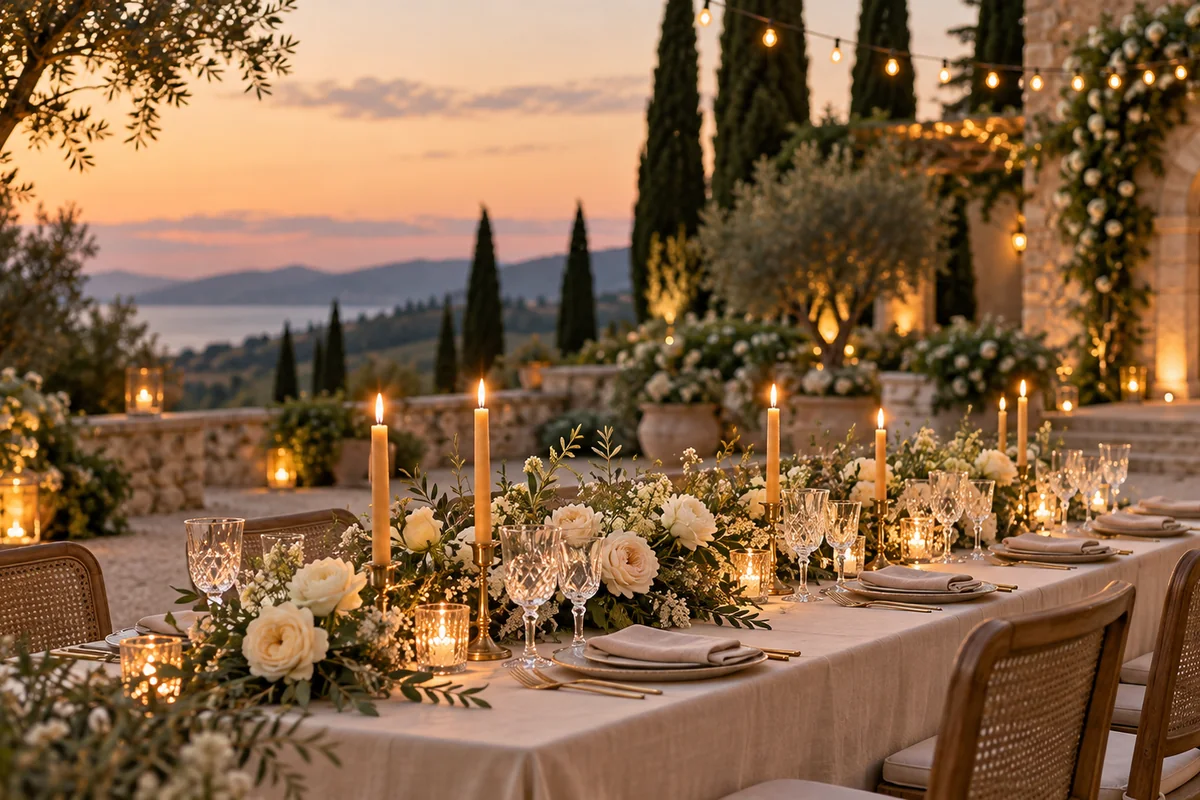
How can wedding venues create videos from venue photos?
Upload a clear ceremony, reception or venue image as the first frame and describe one motion idea, such as candlelight moving across glassware, petals shifting in a breeze or a slow camera push toward the aisle. Venue teams can use these clips as teaser content while keeping real photography for exact room and package representation.
- Use a wide venue image with stable horizon and architecture.
- Describe one movement in the room or landscape.
- Keep exact dates, prices and package details outside the generated frame.
- Check furniture, linens, flowers and architectural details against the source.
How can couples turn engagement photos into video concepts?
An engagement image can anchor a brief mood clip with subtle camera movement and environmental motion. Use generated footage as a creative teaser rather than a factual record of the event. For save-the-date cards, add names, dates and venue information in an editor so the text remains exact.
Keep movement gentle around faces, hands and clothing.
Avoid prompts that replace the location with an entirely new scene.
Use a rights-cleared source image and confirm provider usage terms.
Do not present generated frames as proof that a specific event occurred.
Which wedding clips work best for social video?
Venue reveals, tablescape details, floral macro shots, invitation flat lays and atmospheric dancing or celebration concepts work well as short clips. The strongest approach is one shot and one emotional cue, rather than asking the model to produce a complete ceremony narrative in a few seconds.
Use 9:16 for Stories, Reels and TikTok teasers.
Use 16:9 for venue websites and wedding-film preview concepts.
Use 1:1 for square social placements.
Keep people secondary if exact identity and clothing matter.
Should wedding clips use Seedance 2.5 or Kling 3.0 Turbo?
Kling 3.0 Turbo is useful for fast silent 720p mood tests. Seedance 2.5 is better suited to 1080p, longer clips, additional aspect ratios or native generated ambience. Review faces, hands, rings, fabric and venue details before using any clip publicly.
Kling 3.0 Turbo costs 9 credits for 4 seconds and 18 credits for 8 seconds at 720p.
Seedance 2.5 costs 16 credits for 4 seconds at 720p and 18 credits at 1080p.
Generate one venue or detail shot first before committing to a larger teaser set.
What does Everygen not guarantee for wedding content?
Everygen does not guarantee that faces, identities, dress details, rings, flowers, table settings or venue packages will match the real event. It does not film wedding-day coverage, guarantee lip-sync or create a complete edited wedding film. Those jobs require the actual footage and a human editor.
Use real event photography when a post must represent what happened.
Add exact names, dates and venue information in an editor.
Check attire, rings, florals and personal details with the couple.
Disclose synthetic imagery where required.
What are good prompt examples?
Strong prompts describe a visible action, one location and one camera direction. Adapt the subject and product details rather than copying a prompt without checking the result.
Candlelit reception reveal
Slow cinematic push through an elegant unbranded wedding reception at dusk, long linen tables, ivory garden roses, amber candles and warm hanging lights, soft floral shadows move gently, preserve table layout and venue architecture, no people or readable text.
Floral detail
Macro wedding detail clip of ivory garden roses and muted sage foliage beside a handwritten-style invitation with no readable words, soft window light moves across the paper texture, petals tremble in a light breeze, shallow depth of field, refined editorial style.
Coastal ceremony atmosphere
Gentle camera glide across an empty coastal wedding ceremony setting, curved wooden chairs, sheer fabric moving in the sea breeze, warm late-afternoon sunlight, native grasses, preserve horizon and aisle geometry, cinematic romantic atmosphere, no people or logos.
Wedding clip credit comparison
Credit totals use the current Everygen studio settings and are rounded up to a whole credit for each generation.
| Model | Length | Resolution | Credits |
|---|---|---|---|
| Kling 3.0 Turbo | 4 sec | 720p | 9 |
| Kling 3.0 Turbo | 8 sec | 720p | 18 |
| Seedance 2.5 | 4 sec | 720p | 16 |
| Seedance 2.5 | 4 sec | 1080p | 18 |
What matters most before you generate?
- Start with one clear action and one camera direction so the model has a specific motion to solve.
- Upload a clean first frame whenever product shape or a particular scene must stay consistent.
- Test a short, lower-cost generation before committing to a longer Seedance render.
- Review text, hands, product details, audio and disclosure requirements before publishing.