
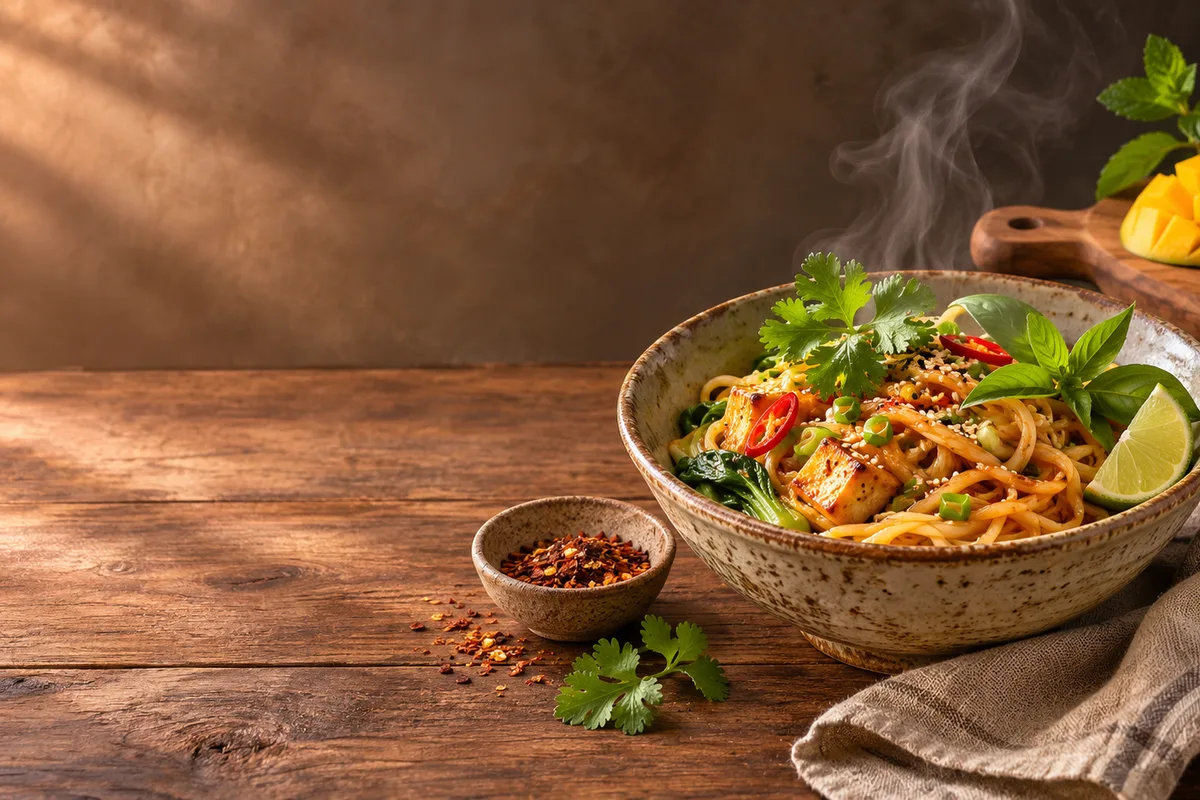
How do food brands create videos from product or dish photos?
Upload a clear dish, ingredient or packaged product photo as the first frame and describe one motion, such as steam rising, sauce folding, a slow rotation or light moving across the surface. The still anchors color and composition while the prompt adds appetite appeal for social, menu or product-page concepts.
- Use a sharp, well-lit food or product image.
- Describe one texture, pour or camera movement.
- Keep nutrition, prices and exact claims outside the frame.
- Check portions, ingredients and packaging against the real item.
Which food clips fit Everygen?
Product close-ups, recipe step visuals, menu backgrounds, cafe atmosphere and seasonal food teasers fit the current studio. Real cooking demonstrations, nutritional evidence, restaurant service footage, full recipe videos and food-safety claims do not.
Use 9:16 for Reels, TikTok and Shorts food hooks.
Use 16:9 for menus, websites and YouTube.
Use macro detail to show texture, steam and pour.
Keep real cooking and nutrition information in reviewed copy.
How do you keep food and packaging details accurate?
Start from approved photography and name the fixed elements: portion, ingredients, garnish, packaging and label placement. Avoid prompts that add ingredients, change portion sizes or invent product claims. Compare every frame with the real item and use original photos for menu, allergen and nutritional representation.
- Describe light and camera movement rather than rebuilding the dish.
- Avoid adding ingredients or sides not in the source image.
- Keep hands and faces out when product detail matters.
- Use the original photos for allergen and nutrition review.
Should food clips use Seedance 2.5 or Kling 3.0 Turbo?
Kling 3.0 Turbo is a lower-cost way to test short 720p food motion. Seedance 2.5 is better when the final concept needs 1080p, a longer duration, additional aspect ratios or native ambience. Neither model guarantees portion, ingredient or packaging accuracy.
Kling 3.0 Turbo costs 9 credits for 4 seconds and 18 credits for 8 seconds at 720p.
Seedance 2.5 costs 16 credits for 4 seconds at 720p and 18 credits at 1080p.
Test one product close-up and one atmosphere clip before a full set.
What can Everygen not guarantee for food content?
Everygen does not guarantee portions, ingredients, allergens, nutrition, packaging or menu accuracy. It does not provide health, dietary or food-safety claims, and it does not create a complete recipe, cooking demonstration or restaurant campaign. Generated clips are visual concepts and must be reviewed against the real product and approved information.
Use real product photography for menu, allergen and nutrition representation.
Do not present generated food as evidence of a health or dietary benefit.
Add exact prices, ingredients and disclaimers in approved copy.
Check local food advertising and labeling requirements.
What are good prompt examples?
Strong prompts describe a visible action, one location and one camera direction. Adapt the subject and product details rather than copying a prompt without checking the result.
Steam and texture
Macro food clip of a hot bowl of unbranded noodles, steam rising slowly, broth glistening and herbs settling, warm side light, shallow depth of field, appetizing editorial style, no text, logos or hands.
Pour and gloss
Slow pour of amber honey over an unbranded pastry on a ceramic plate, glossy drip and soft window light, rich texture detail, controlled camera push, no people, labels or brand marks.
Cafe table atmosphere
Gentle glide across an unbranded cafe table with coffee, croissant and fresh fruit, warm morning light and soft shadows, inviting food atmosphere with negative space for menu text, no people, logos or readable signs.
Food clip credit comparison
Credit totals use the current Everygen studio settings and are rounded up to a whole credit for each generation.
| Model | Length | Resolution | Credits |
|---|---|---|---|
| Kling 3.0 Turbo | 4 sec | 720p | 9 |
| Kling 3.0 Turbo | 8 sec | 720p | 18 |
| Seedance 2.5 | 4 sec | 720p | 16 |
| Seedance 2.5 | 4 sec | 1080p | 18 |
What matters most before you generate?
- Start with one clear action and one camera direction so the model has a specific motion to solve.
- Upload a clean first frame whenever product shape or a particular scene must stay consistent.
- Test a short, lower-cost generation before committing to a longer Seedance render.
- Review text, hands, product details, audio and disclosure requirements before publishing.