
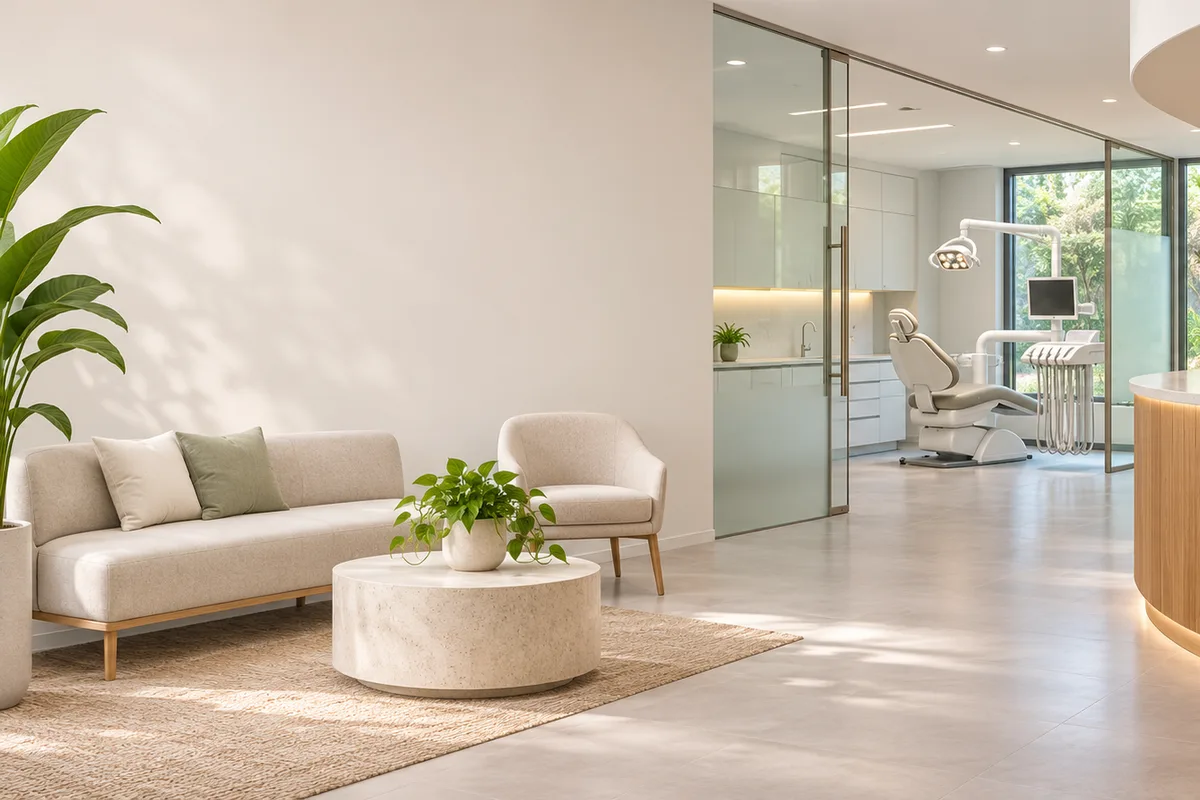
How do dental clinics use AI video for marketing?
Use short clips of the reception, treatment rooms, equipment and team atmosphere as backgrounds for service pages, social posts and local ads. Keep the clinical claims, pricing, availability and patient information in approved copy, and use real footage whenever a specific treatment or result must be shown.
- Use one room, service or atmosphere beat per clip.
- Keep patient identities, records and treatment details out of frame.
- Use real clinical footage for procedure and result demonstrations.
- Add verified service and pricing details in an editor.
Which dental clinic clips fit Everygen?
Reception and waiting-room atmosphere, treatment-room details, equipment close-ups, hygiene and sterilization visuals and clinic-brand mood clips fit the current studio. Patient testimonials, before-and-after results, procedure demonstrations and clinical advice do not.
Use 9:16 for social and local ad hooks.
Use 16:9 for website and service-page backgrounds.
Keep equipment and room details accurate to the real clinic.
Use real staff and patients only with written consent.
How do you avoid patient and medical claims?
Do not use generated footage as evidence of treatment outcomes, pain reduction, safety or clinical quality. Keep all medical and dental claims in approved copy reviewed by the practice, and never place patient records, faces or identifying details in a generated frame. Confirm local advertising and privacy requirements before publishing.
- Do not show or imply before-and-after treatment results.
- Do not include patient faces, records or identifying data.
- Use approved clinical language and required disclaimers.
- Check local dental advertising and privacy rules.
Should dental clips use Seedance 2.5 or Kling 3.0 Turbo?
Kling 3.0 Turbo is a lower-cost way to test short 720p clinic and equipment motion. Seedance 2.5 is better when the final concept needs 1080p, a longer duration, additional aspect ratios or native ambience. Neither model guarantees clinical or facility accuracy.
Kling 3.0 Turbo costs 9 credits for 4 seconds and 18 credits for 8 seconds at 720p.
Seedance 2.5 costs 16 credits for 4 seconds at 720p and 18 credits at 1080p.
Test one reception and one treatment-room clip before a full set.
What can Everygen not guarantee for dental clinics?
Everygen does not provide medical or dental advice, clinical accuracy, treatment outcomes, patient testimonials or before-and-after evidence. It does not handle patient records or protected health information, and it does not guarantee HIPAA, advertising, privacy or dental-board compliance. The practice remains responsible for every claim and asset it publishes.
Do not upload patient records, images or protected health information.
Do not present generated footage as clinical evidence or a real result.
Have approved clinical and legal reviewers check final copy.
Follow HIPAA, local privacy and dental advertising requirements.
What are good prompt examples?
Strong prompts describe a visible action, one location and one camera direction. Adapt the subject and product details rather than copying a prompt without checking the result.
Clinic reception atmosphere
Slow camera glide through an unbranded modern dental clinic reception, warm oak desk, soft neutral seating and green plants, diffused morning light, calm clean atmosphere, preserve room layout, no people, text, logos or patient information.
Treatment room detail
Gentle push through an empty unbranded dental treatment room, clean chair, overhead light and organized instruments, cool clinical light with warm accents, calm and hygienic atmosphere, no people, readable labels, logos or patient records.
Equipment close-up
Macro camera move across clean unbranded dental equipment and a polished counter, soft directional light, precise metallic and ceramic textures, shallow depth of field, no people, text, brand marks or patient information.
Dental clip credit comparison
Credit totals use the current Everygen studio settings and are rounded up to a whole credit for each generation.
| Model | Length | Resolution | Credits |
|---|---|---|---|
| Kling 3.0 Turbo | 4 sec | 720p | 9 |
| Kling 3.0 Turbo | 8 sec | 720p | 18 |
| Seedance 2.5 | 4 sec | 720p | 16 |
| Seedance 2.5 | 4 sec | 1080p | 18 |
What matters most before you generate?
- Start with one clear action and one camera direction so the model has a specific motion to solve.
- Upload a clean first frame whenever product shape or a particular scene must stay consistent.
- Test a short, lower-cost generation before committing to a longer Seedance render.
- Review text, hands, product details, audio and disclosure requirements before publishing.