
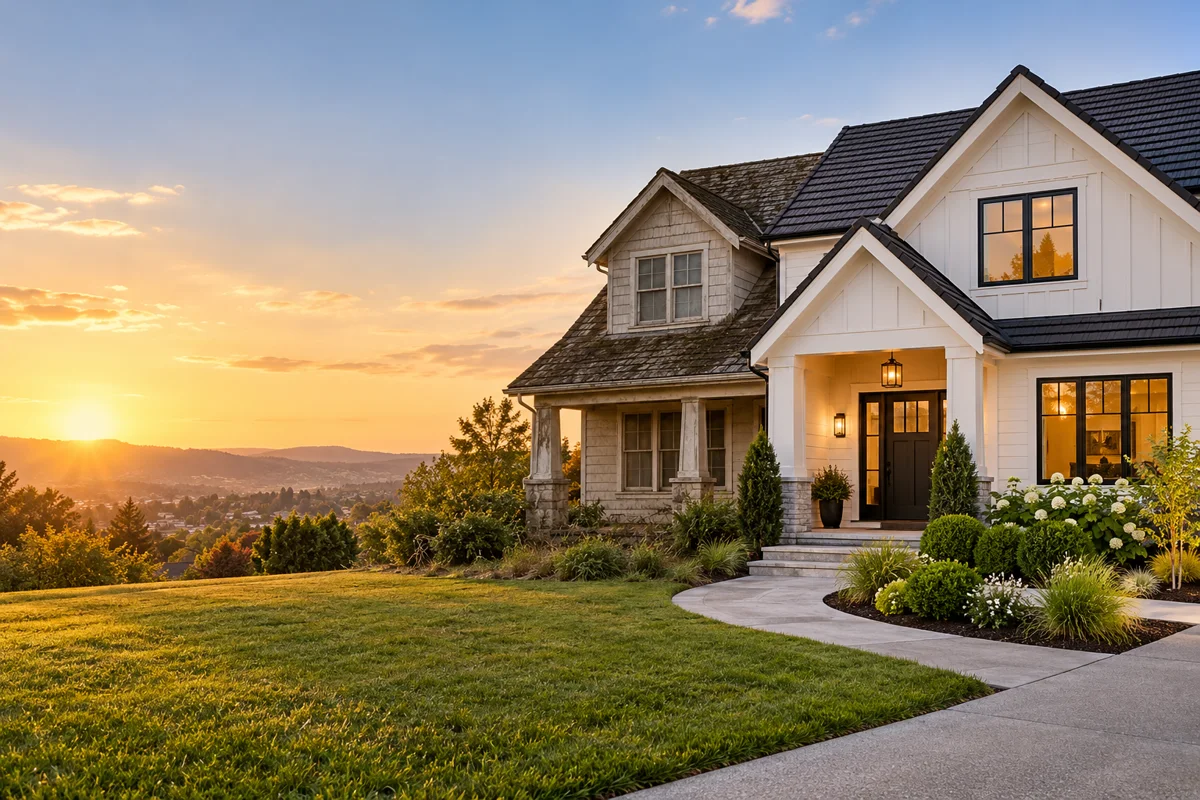
How do contractors use AI video ads?
Contractors use AI video to turn existing project photos into short visual proof for local ads and social posts. A single roof detail, remodel reveal or landscaping shot can communicate the quality of the work without scheduling a new film shoot.
- Use one finished project image for a cinematic reveal.
- Use a prompt for a generic service-action concept.
- Keep project claims, pricing and service areas in post-production.
- Matched before and after shots usually require two clips rather than one generated morph.
What should a contractor video prompt include?
Describe the trade, work surface, craftsmanship detail and one camera move. For example: “slow push-in across a newly finished dark roof, sunlight moves over clean shingles, preserve roof geometry and surrounding trees.”
- Name the specific trade or finished material.
- Show evidence of craft: straight lines, clean edges, texture or landscaping.
- State whether the shot is a reveal, before-and-after pair or tool action.
- Avoid asking the generator to invent certifications, warranties or completed results.
Which video format works for local service ads?
Use 9:16 for TikTok, Reels and Shorts, and 16:9 for websites, YouTube and landscape local campaigns. A 1:1 Seedance or Kling clip can support square placements, but the product detail should remain central.
Leave clean areas for service area, quote and call-to-action text.
Use 9:16 for one strong before/after or craftsmanship detail.
Use 16:9 for a calmer project overview or website background video.
Which Everygen model is best for contractor clips?
Kling 3.0 Turbo is a lower-cost draft model for short 720p project shots. Seedance 2.5 is useful when the concept needs 1080p, native ambience or a longer duration.
Kling 3.0 Turbo costs 9 credits for a 4-second 720p clip.
Seedance 2.5 costs 16 credits for a 4-second 720p clip and 18 credits at 1080p.
Review rooflines, windows, materials and tool contact before publishing.
What should a contractor verify before publishing?
Verify that the generated scene still represents credible work. AI can change rooflines, invent materials or create impossible construction details, so the result cannot be presented as proof of a real completed job without checking the source and project.
Use the actual project photo when claiming that specific work was completed.
Do not invent credentials, insurance, reviews or guarantees.
Disclose synthetic imagery where required and follow local advertising rules.
What are good prompt examples?
Strong prompts describe a visible action, one location and one camera direction. Adapt the subject and product details rather than copying a prompt without checking the result.
Roof craftsmanship reveal
Slow cinematic push-in across a newly finished dark shingle roof on a contemporary house, warm sunlight moves across clean roof lines, surrounding trees sway gently, preserve building geometry and material texture, no people or signage.
Landscaping transformation
Reveal a freshly landscaped front garden with pale stone pavers, clipped shrubs and warm porch light, camera glides gently upward from path to entrance, leaves move in a light breeze, keep architecture stable, premium contractor portfolio video.
Interior remodel detail
Macro lateral camera glide across a newly installed stone kitchen counter and clean cabinet edge, soft daylight moves across the surface, one linen cloth shifts slightly, preserve straight lines and hardware detail, realistic remodeling video.
Home-services clip planning guide
Credit totals use the current Everygen studio settings and are rounded up to a whole credit for each generation.
| Project | Visual proof | Suggested length | Format |
|---|---|---|---|
| Roofing | Roofline reveal | 4–8 sec | 9:16 or 16:9 |
| Landscaping | Path and garden reveal | 4–8 sec | 9:16 |
| Remodeling | Material detail glide | 4–6 sec | 9:16 |
| Painting | Finished exterior pan | 4–6 sec | 16:9 |
What matters most before you generate?
- Start with one clear action and one camera direction so the model has a specific motion to solve.
- Upload a clean first frame whenever product shape or a particular scene must stay consistent.
- Test a short, lower-cost generation before committing to a longer Seedance render.
- Review text, hands, product details, audio and disclosure requirements before publishing.