
How do you create a jewelry video from a product photo?
Upload a sharp product image as the first frame and describe a restrained camera move, lighting shift or fabric movement around the piece. Keep the jewelry fully visible and name the details that must remain fixed. A close, clean composition makes alterations to prongs, links and stones easier to inspect.
- Use a high-resolution source with the full piece and clear edges.
- State that stone placement, engraving and metal shape must stay stable.
- Keep camera motion slow so viewers can inspect the product.
- Add exact prices, materials and claims in an editor after generation.
Which jewelry shots work best with AI video?
The strongest concepts are a pendant reveal on fabric, a ring close-up with moving light, an earring moment in a styled portrait or a product rotation on a clean plinth. One material detail and one camera move usually communicate more than a complex scene with hands, packaging and several accessories.
Use a necklace or earring portrait when worn scale matters.
Use a ring or pendant macro shot when setting details are the focus.
Use a clean plinth for marketplace and product-page concepts.
Generate separate shots for packaging and the jewelry itself.
How can you preserve gemstone, engraving and metal details?
Start from the clearest product image, describe the exact fixed features and reject any clip where the geometry changes. Small text, prongs and faceted stones are especially vulnerable. For a listing that must prove an exact engraving, purity mark or gemstone setting, use real photography or verify the generated frame against the item.
Avoid asking the model to invent unreadable engraving or hallmarks.
Check facet count, stone color, prong placement, clasp and chain links.
Do not treat simulated sparkle as evidence of gemstone quality or certification.
Use the real product and packaging photos for regulated or high-value claims.
Is Seedance 2.5 or Kling 3.0 Turbo better for jewelry clips?
Kling 3.0 Turbo is useful for fast 720p motion and lighting tests. Seedance 2.5 is the stronger option when the project needs 1080p, longer clips, additional aspect ratios or native audio, although higher resolution does not guarantee that intricate product details remain accurate.
Kling 3.0 Turbo costs 9 credits for 4 seconds and 18 credits for 8 seconds at 720p.
Seedance 2.5 costs 16 credits for 4 seconds at 720p and 18 credits at 1080p.
Generate a short product test before committing credits to a full campaign set.
What does Everygen not guarantee in jewelry marketing?
Everygen does not guarantee gemstone identity, carat, clarity, color, metal purity, hallmark text, engraving, clasp function or packaging accuracy. It also cannot certify that a generated jewelry video represents the exact inventory item, so every detail that affects a purchase decision needs verification.
Use verified product copy for materials, dimensions, certification and care.
Check that the generated piece does not gain or lose visible stones or links.
Replace any output that changes engraving, hallmarks or the closure.
Disclose synthetic imagery where required by the platform or campaign.
What are good prompt examples?
Strong prompts describe a visible action, one location and one camera direction. Adapt the subject and product details rather than copying a prompt without checking the result.
Gold pendant reveal
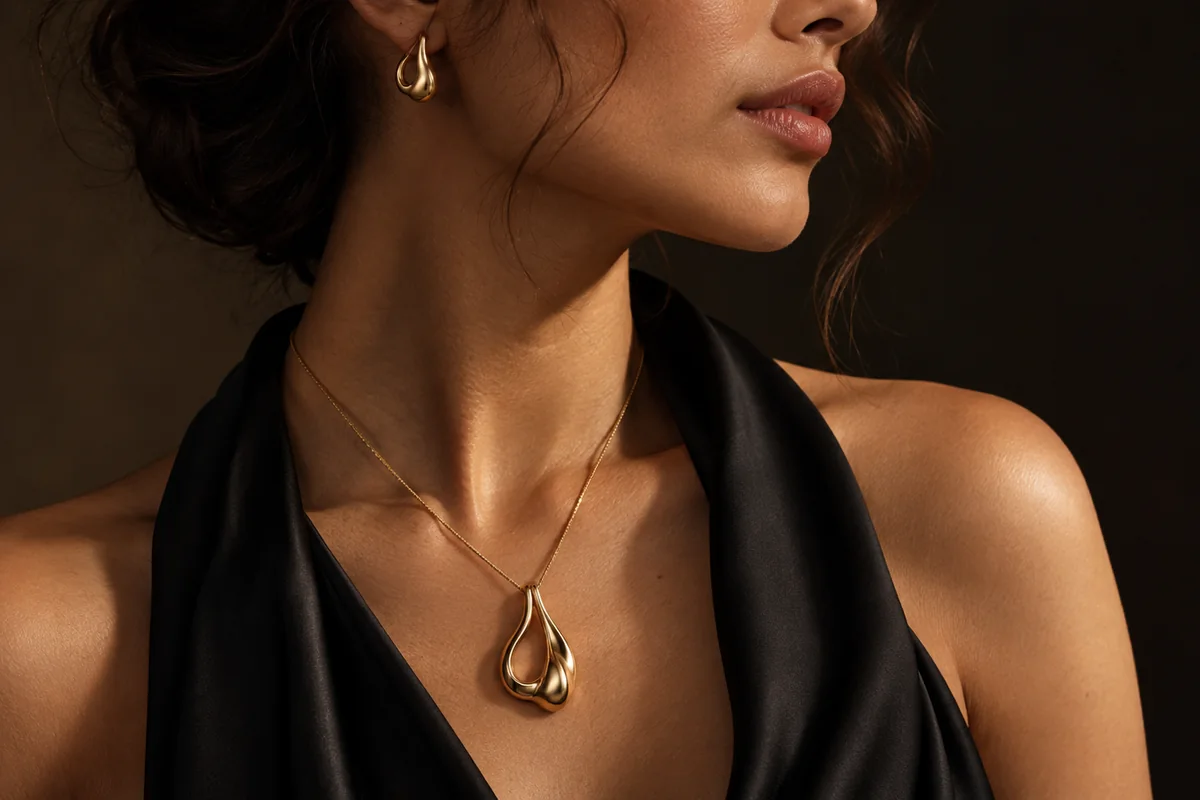
Macro editorial jewelry video, original unbranded sculptural gold pendant resting on black silk, soft warm key light moves slowly across the polished metal, fabric shifts gently, slow push-in, preserve pendant silhouette and chain links, no gemstones, text or logos.
Ring light detail
Close product shot of an original unbranded brushed-gold ring on warm neutral stone, controlled daylight reveals the curved surface and setting, shallow depth of field, tiny camera drift, preserve ring geometry and prong placement, luxury catalog video, no text.
Earring portrait
Elegant shoulder-to-jaw portrait of an anonymous adult model with a sleek low bun, wearing one original unbranded small gold drop earring, natural skin texture, soft directional window light, hair moves slightly, restrained camera push, fine jewelry campaign still with no logos or readable text.
Jewelry clip credit comparison
Credit totals use the current Everygen studio settings and are rounded up to a whole credit for each generation.
| Model | Length | Resolution | Credits |
|---|---|---|---|
| Kling 3.0 Turbo | 4 sec | 720p | 9 |
| Kling 3.0 Turbo | 8 sec | 720p | 18 |
| Seedance 2.5 | 4 sec | 720p | 16 |
| Seedance 2.5 | 4 sec | 1080p | 18 |
What matters most before you generate?
- Start with one clear action and one camera direction so the model has a specific motion to solve.
- Upload a clean first frame whenever product shape or a particular scene must stay consistent.
- Test a short, lower-cost generation before committing to a longer Seedance render.
- Review text, hands, product details, audio and disclosure requirements before publishing.