
How can YouTube creators use AI video clips?
Creators use short generated clips for channel trailers, Shorts hooks, ad concepts, topic intros and B-roll that would otherwise require a separate shoot. Generate one visual idea, then carry the actual explanation, voiceover and calls to action in the edit so the channel voice stays consistent.
- Choose one hook, transition or visual metaphor per clip.
- Keep text, titles and channel branding outside the generated frame.
- Generate the final aspect ratio rather than cropping after export.
- Review the clip for invented details before publishing.
Which YouTube formats fit Everygen?
YouTube Shorts, channel-trailer moments, ad hooks, product teasers and topic B-roll fit the current studio. Long-form videos, multi-scene narratives, talking-head segments and full channel workflows do not. Use Everygen for individual shots and assemble the rest in an editor.
Use 9:16 for Shorts and vertical hooks.
Use 16:9 for channel trailers, pre-roll concepts and B-roll.
Generate several short shots for an edit instead of one long scene.
Add captions and voiceover separately for accessibility and accuracy.
How do you write a YouTube Shorts prompt?
Name the subject, one action and the camera behavior in that order. A useful prompt is: “slow push toward an unbranded product on a desk, soft window light shifts across the surface, preserve label position and object shape, clean vertical composition, no text.” Keep the moment small enough for a four-to-eight second Short.
- Start with the subject and the single action.
- State what must remain fixed: product shape, room layout or character design.
- Describe one camera move rather than a sequence of cuts.
- Do not request readable text, logos or platform UI.
Should YouTube clips use Seedance 2.5 or Kling 3.0 Turbo?
Kling 3.0 Turbo is useful for fast silent 720p Shorts tests. Seedance 2.5 is better suited to 1080p, longer clips, additional aspect ratios or native ambience. Neither model produces a complete YouTube video or guarantees retention.
Kling 3.0 Turbo costs 9 credits for 4 seconds and 18 credits for 8 seconds at 720p.
Seedance 2.5 costs 16 credits for 4 seconds at 720p and 18 credits at 1080p.
Test a hook and a visual style before producing a full Short or ad set.
What can Everygen not do for a YouTube channel?
Everygen cannot write a script, generate a voiceover, edit a long-form video, create thumbnails or titles, upload to YouTube or manage a channel. It does not provide a talking avatar, automatic lip-sync, view guarantees or monetization advice. It generates individual short clips that must be reviewed and assembled by a person.
Use a script and voiceover workflow outside the studio.
Add captions, thumbnails and end screens in an editor.
Check facts, claims and brand references before publishing.
Follow YouTube disclosure rules for synthetic or altered media.
What are good prompt examples?
Strong prompts describe a visible action, one location and one camera direction. Adapt the subject and product details rather than copying a prompt without checking the result.
Channel trailer atmosphere
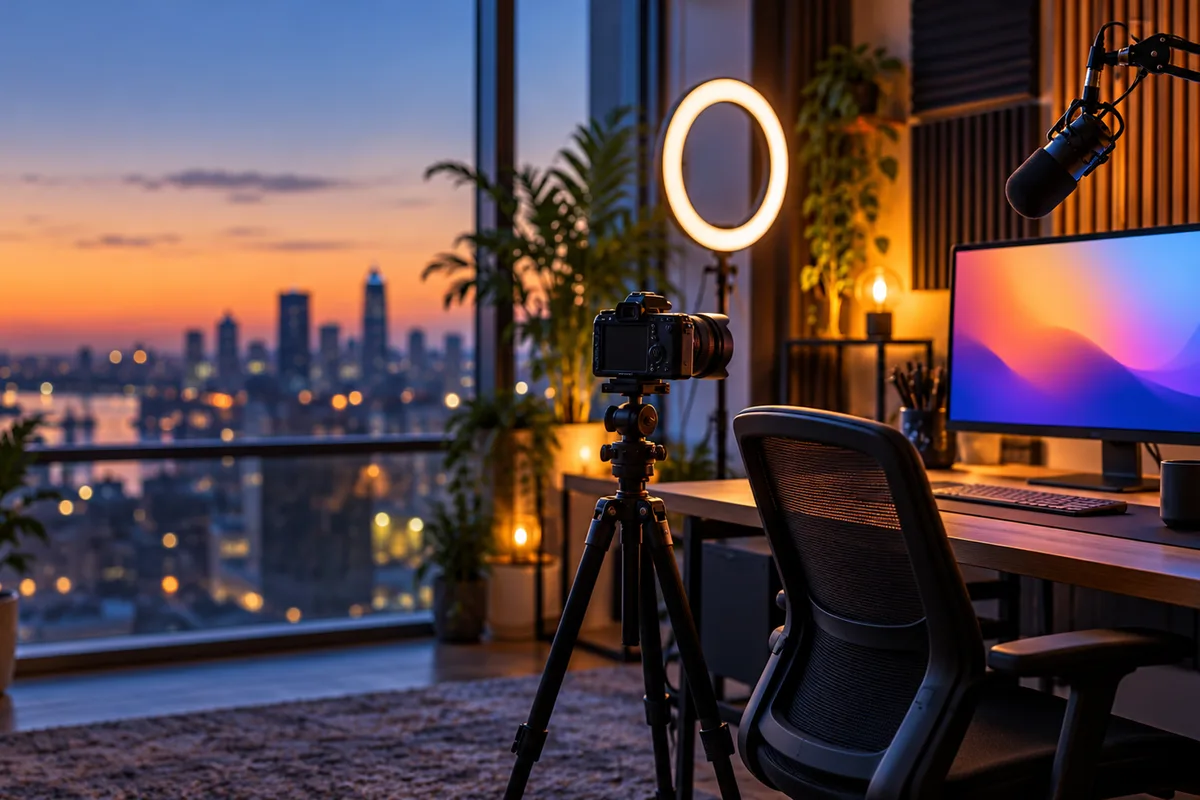
Slow camera glide through an unbranded creator studio at dusk, camera on a tripod, soft monitor glow, plants and acoustic panels, warm lamp light, subtle dust in the air, preserve desk layout, cinematic 16:9, no people or readable text.
Product Short hook
Macro vertical clip of an unbranded product on a dark desk, a single beam of light sweeps across the surface, soft shadow moves, slow push-in, preserve product silhouette and label position, crisp short-form hook, no text or logos.
Explainer B-roll
Abstract educational B-roll of a stylized globe rotating slowly in a dark studio, soft rim light, fine particles drifting, clean composition with negative space for captions, no labels, arrows or readable text.
YouTube clip credit comparison
Credit totals use the current Everygen studio settings and are rounded up to a whole credit for each generation.
| Model | Length | Resolution | Credits |
|---|---|---|---|
| Kling 3.0 Turbo | 4 sec | 720p | 9 |
| Kling 3.0 Turbo | 8 sec | 720p | 18 |
| Seedance 2.5 | 4 sec | 720p | 16 |
| Seedance 2.5 | 4 sec | 1080p | 18 |
What matters most before you generate?
- Start with one clear action and one camera direction so the model has a specific motion to solve.
- Upload a clean first frame whenever product shape or a particular scene must stay consistent.
- Test a short, lower-cost generation before committing to a longer Seedance render.
- Review text, hands, product details, audio and disclosure requirements before publishing.