
How do you create a TikTok video with Everygen?
Choose a product image or write a prompt, select 9:16 and generate one short visual event such as a product reveal, hand-held demo or reaction. Keep the first frame and motion plan focused because the opening seconds carry most of the creative decision.
- Use an unbranded or rights-cleared product image with a clear silhouette.
- Describe the creator framing, action, setting and camera movement.
- Generate several short hooks rather than one long unfocused scene.
- Add captions, offer copy and end cards in a separate editor.
What makes a strong TikTok ad hook?
A strong hook shows a visible change, useful action or curiosity gap within the first few seconds. Product-in-hand, texture reveals, before-and-after framing and direct camera moves work better than a static packshot.
Start with the product already visible and one action in progress.
Use natural room light and everyday framing rather than studio-perfect polish.
Leave the upper and lower safe areas clear for TikTok captions and controls.
Match the visual claim to a factual voiceover, caption or offer added later.
How do you write a TikTok UGC prompt?
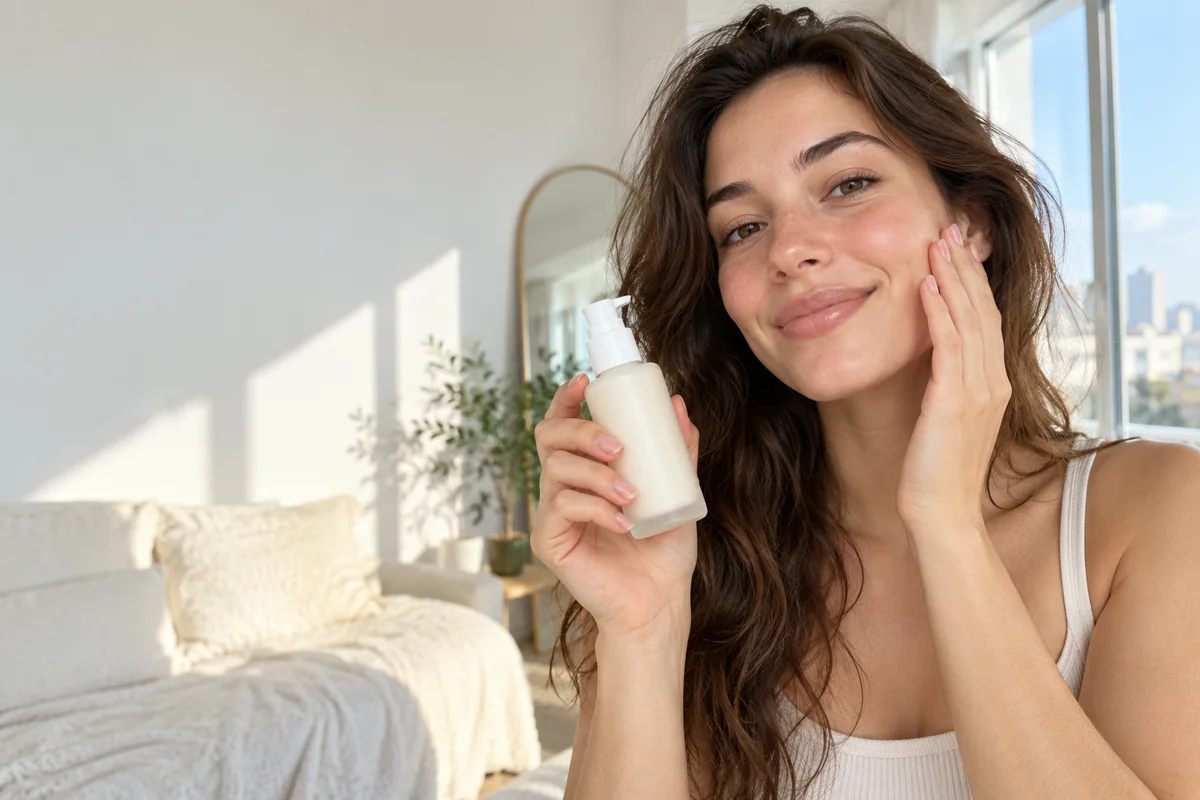
Describe the creator, product interaction and camera style in one compact prompt. For example: “anonymous adult creator in a sunlit apartment holds an unbranded skincare bottle near the camera, natural hand movement, responsive selfie camera, believable UGC, no text.”
- Name the creator framing: selfie, over-the-shoulder or close product insert.
- Give the hands one specific job: hold, twist, apply, reveal or compare.
- Describe natural light and a familiar room instead of saying “viral.”
- State that product shape and hand anatomy must remain stable.
Should TikTok ads use Seedance 2.5 or Kling 3.0 Turbo?
Use Kling 3.0 Turbo for fast silent concept tests and Seedance 2.5 when you need native audio, 1080p, clips beyond 15 seconds or extra aspect ratios. Most TikToks need several motion ideas, so lower-cost draft generations are useful.
A 4-second Kling 720p clip costs 9 credits; an 8-second clip costs 18 credits.
A 4-second Seedance 720p clip costs 16 credits; a 10-second clip costs 40 credits.
Compare the product silhouette, hands, face and motion before choosing a final variation.
What should you review before publishing a TikTok AI ad?
Review hands, faces, product labels, claims, music rights and platform disclosure rules. Everygen does not provide talking-avatar lip-sync, automatic campaign assembly or guaranteed likeness control.
Use only factual product claims and do not ask the generator to invent testimonials or results.
Composite exact text, prices, disclaimers and logos after generation.
Follow TikTok’s synthetic-media and advertising disclosure requirements for each market.
Keep a source-asset record so the rights in the image or prompt can be verified.
What are good prompt examples?
Strong prompts describe a visible action, one location and one camera direction. Adapt the subject and product details rather than copying a prompt without checking the result.
Skincare selfie hook
Anonymous adult creator in a bright apartment holds an unbranded white skincare bottle near the camera, natural selfie framing, one subtle hand movement, soft morning light, believable UGC, preserve hands and bottle shape, no text.
Product reveal insert
Close hand-held product shot, unbranded frosted bottle revealed from a linen cloth, quick natural camera tilt, warm window light, realistic skin and hand detail, preserve product shape, no logo.
Streetwear try-on motion
Anonymous adult creator in an unbranded neutral streetwear outfit takes one step toward a mirror, fabric moves naturally, casual smartphone camera feel, apartment setting, keep garment color and silhouette stable.
TikTok hook planning guide
Credit totals use the current Everygen studio settings and are rounded up to a whole credit for each generation.
| Hook type | Visual action | Suggested length | Recommended model |
|---|---|---|---|
| Product reveal | Hand enters frame | 4–6 sec | Kling draft |
| Selfie demo | Creator shows product | 4–8 sec | Seedance |
| Texture close-up | Macro product detail | 4 sec | Kling or Seedance |
| Streetwear motion | Single step or turn | 4–6 sec | Kling draft |
What matters most before you generate?
- Start with one clear action and one camera direction so the model has a specific motion to solve.
- Upload a clean first frame whenever product shape or a particular scene must stay consistent.
- Test a short, lower-cost generation before committing to a longer Seedance render.
- Review text, hands, product details, audio and disclosure requirements before publishing.