
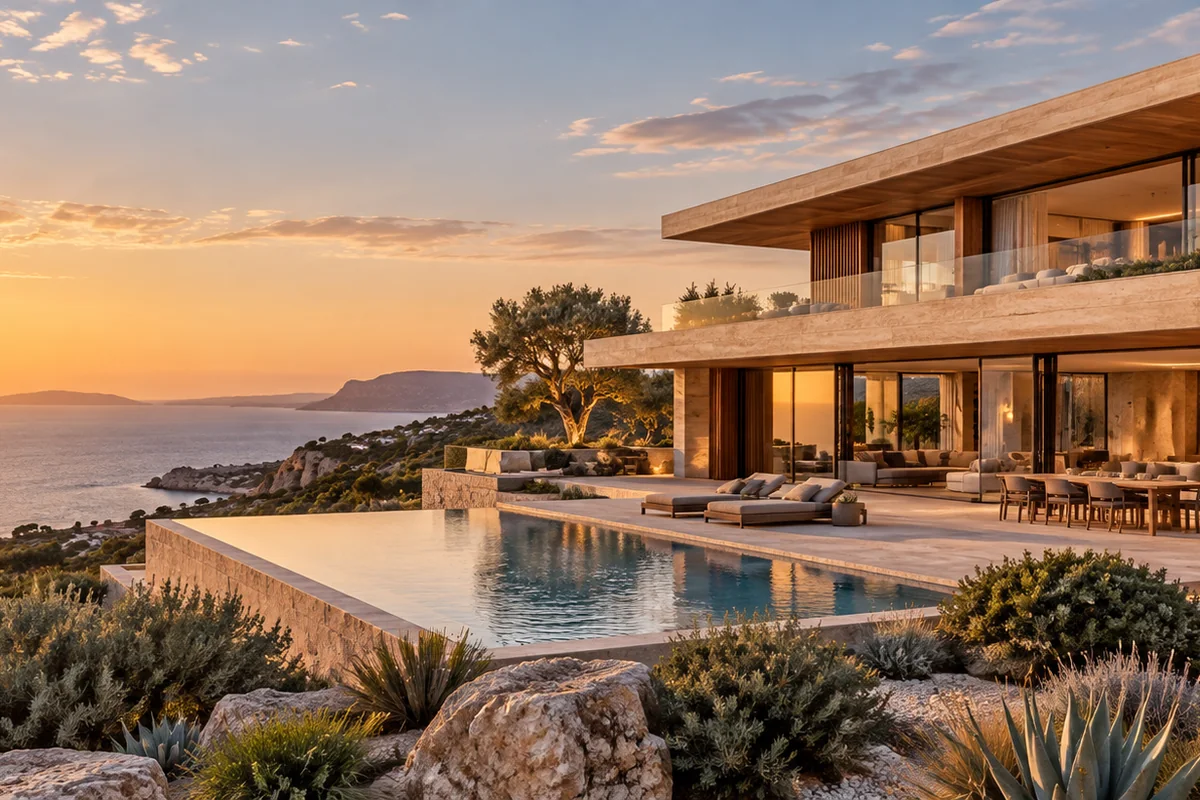
How do architects turn renders into short AI videos?
Upload an approved exterior or interior rendering as the first frame, then describe one camera move, such as a slow push toward an entrance or a lateral glide across a facade. The render anchors the design while light and foliage create movement. Keep presentation titles, project data and legal text outside the generated frame.
- Use a high-resolution image with clean building edges and visible materials.
- State which geometry, facade lines and landscaping must remain fixed.
- Generate the intended final aspect ratio to avoid destructive cropping.
- Review windows, structure, materials and floor plates before presenting.
Which architecture clips work best for client presentations?
The strongest clips isolate one design idea: an entrance reveal, a material detail, a courtyard transition, a sunset facade study or a slow interior pan. A short clip makes a render feel active without asking the generator to invent rooms, circulation or construction details that were never modeled.
Use an exterior reveal to introduce massing and context.
Use a lateral glide to move light across glass, stone or timber.
Use a macro detail to emphasize a facade or interior material.
Use a separate approved image for each additional viewpoint or floor.
How can you animate a building without changing its design?
Start with the clearest approved render, name the fixed architectural elements in the prompt and keep motion modest. Avoid dramatic parallax, fly-through paths or object transformations that expose geometry the source image does not contain. Compare structural lines, openings, furniture and landscape elements frame by frame.
- Describe a camera move rather than rebuilding the building in text.
- Avoid asking the model to add floors, doors, rooms or unseen elevations.
- Keep people and vehicles secondary when they could obscure the architecture.
- Use the approved render, not generated footage, for technical review.
Should architecture teams use Seedance 2.5 or Kling 3.0 Turbo?
Kling 3.0 Turbo is a lower-cost model for short 720p motion tests. Seedance 2.5 is the better fit when the final concept needs 1080p, a longer duration, additional aspect ratios or native ambience. Neither model guarantees that a render will remain dimensionally accurate.
Kling 3.0 Turbo costs 9 credits for 4 seconds and 18 credits for 8 seconds at 720p.
Seedance 2.5 costs 16 credits for 4 seconds at 720p and 18 credits at 1080p.
Test a short exterior and interior clip before producing a full presentation set.
What can Everygen not guarantee for architecture projects?
Everygen cannot import CAD, BIM, SketchUp or 3D model files, and it does not create a real navigable walkthrough. It cannot guarantee structural geometry, dimensions, materials, code compliance, landscape growth or consistency across different renders. Generated clips remain visual concepts, not construction documentation.
Use approved renders and technical drawings for design verification.
Do not present a generated view as an additional approved elevation.
Check facade systems, window counts, roof forms and material transitions.
Disclose synthetic visualization where the client or platform requires it.
What are good prompt examples?
Strong prompts describe a visible action, one location and one camera direction. Adapt the subject and product details rather than copying a prompt without checking the result.
Coastal facade reveal
Slow cinematic push toward a contemporary limestone villa overlooking the ocean at golden hour, floor-to-ceiling glass reflects a calm sky, native grasses move slightly, preserve building proportions, facade lines, windows and terrace geometry, no people or text.
Interior material glide
Gentle lateral camera glide through a minimal double-height living room, warm timber, travertine and linen textures, soft daylight moves across the surfaces, sheer curtains shift in a light breeze, preserve architecture, furniture layout and window openings, no logos.
Courtyard light study
Quiet courtyard of a modern concrete house, late-afternoon sunlight moves slowly across a shallow reflecting pool and sculptural planting, subtle water ripple, slow camera push from shade into light, keep structure and circulation geometry fixed, architectural visualization video, no text.
Architecture clip credit comparison
Credit totals use the current Everygen studio settings and are rounded up to a whole credit for each generation.
| Model | Length | Resolution | Credits |
|---|---|---|---|
| Kling 3.0 Turbo | 4 sec | 720p | 9 |
| Kling 3.0 Turbo | 8 sec | 720p | 18 |
| Seedance 2.5 | 4 sec | 720p | 16 |
| Seedance 2.5 | 4 sec | 1080p | 18 |
What matters most before you generate?
- Start with one clear action and one camera direction so the model has a specific motion to solve.
- Upload a clean first frame whenever product shape or a particular scene must stay consistent.
- Test a short, lower-cost generation before committing to a longer Seedance render.
- Review text, hands, product details, audio and disclosure requirements before publishing.