
How do pet brands create videos from product or pet photos?
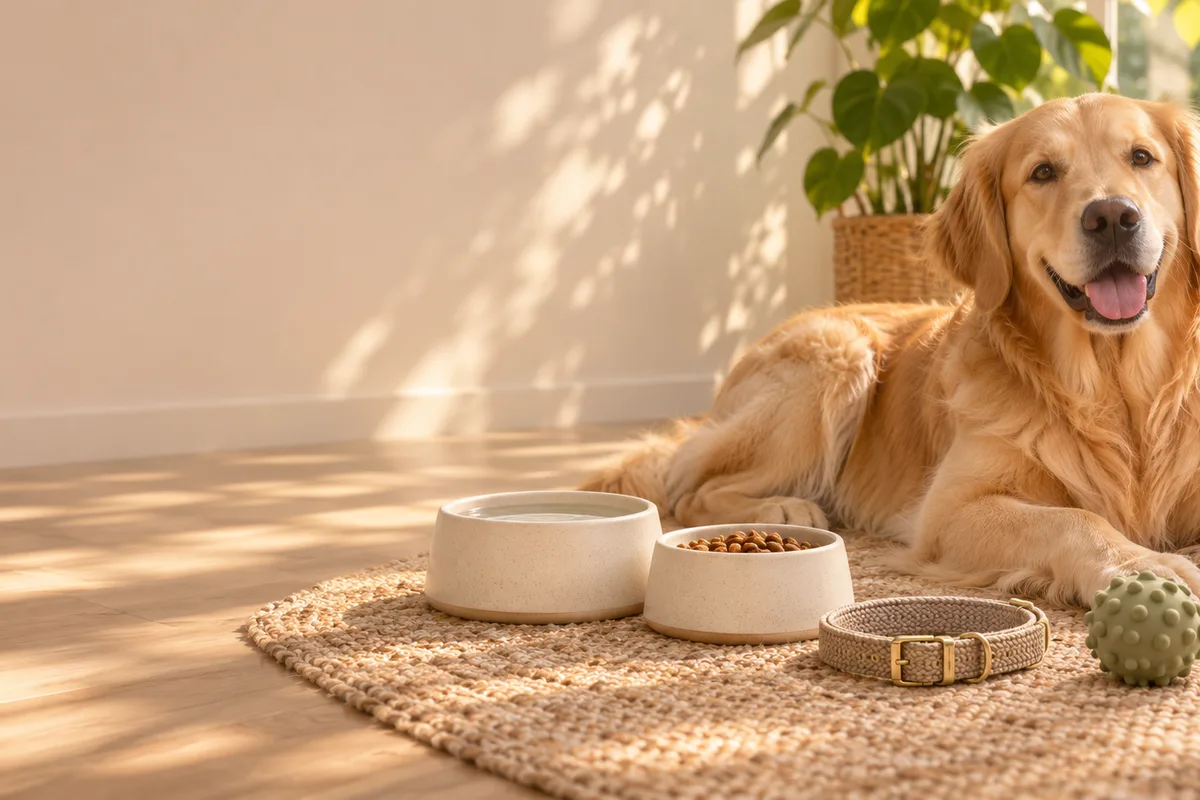
Upload a clear product or pet photo as the first frame and describe one small motion, such as light moving across a bowl, a collar turning on a table or a pet shifting its head with a gentle camera push. The still anchors the pet and product while the prompt adds a short social moment.
- Use a sharp, well-lit product or pet photo.
- Describe one movement in the pet, product, light or camera.
- Keep prices, medical claims and exact product text outside the frame.
- Check collar, bowl, toy and packaging details against the real item.
Which pet clips work for social and ecommerce?
Product still-life motion, pet-portrait atmosphere, grooming and daycare promos, seasonal gift clips and playful social hooks work well as short clips. The strongest approach is one pet or product and one moment per clip rather than asking the model to invent a full story or a specific breed behavior.
Use 9:16 for Reels, TikTok and Shorts pet hooks.
Use 16:9 for store pages, websites and YouTube.
Keep pet faces secondary when exact identity matters.
Use real footage when a post must prove a pet, service or condition.
How can you keep a pet identity and product details accurate?
Start from a clear photo and name what must remain fixed: coat pattern, eye color, collar, bowl shape, toy design and packaging. Avoid prompts that ask the model to change breed, age, size or markings. Review every frame with the owner or brand before publishing, and use real photography where identity is essential.
- Describe a small camera or light move rather than a new pose.
- Avoid prompts that change breed, coat or body shape.
- Keep hands, faces and readable labels out when detail matters.
- Use original photos for product listings and ownership proof.
Should pet clips use Seedance 2.5 or Kling 3.0 Turbo?
Kling 3.0 Turbo is a lower-cost way to test short 720p pet and product motion. Seedance 2.5 is better when the final concept needs 1080p, a longer duration, additional aspect ratios or native ambience. Neither model guarantees identity, breed or product accuracy.
Kling 3.0 Turbo costs 9 credits for 4 seconds and 18 credits for 8 seconds at 720p.
Seedance 2.5 costs 16 credits for 4 seconds at 720p and 18 credits at 1080p.
Test one pet portrait and one product detail before producing a full campaign set.
What can Everygen not guarantee for pet content?
Everygen does not guarantee that a pet identity, breed, coat, age, size or expression will match the real animal. It does not transform a real pet, create a factual record of an event, verify product safety or provide veterinary, health, training or nutrition advice. Generated clips are visual concepts, not proof of care or a medical outcome.
Do not use generated footage as evidence of a pet condition or treatment.
Use qualified veterinary guidance for health, diet and safety claims.
Use real photos and footage when ownership or identity must be proven.
Disclose synthetic imagery where the platform or brand requires it.
What are good prompt examples?
Strong prompts describe a visible action, one location and one camera direction. Adapt the subject and product details rather than copying a prompt without checking the result.
Pet portrait atmosphere
Gentle close-up of a calm golden dog resting in warm afternoon window light, soft fur movement in a light breeze, slow camera push, shallow depth of field, preserve coat pattern and eye color, no people, text, logos or collars with readable brands.
Pet product still life
Slow camera glide across an unbranded ceramic pet bowl, a woven collar and a natural rubber toy on a warm stone surface, soft morning light and gentle shadow movement, preserve product shape and material texture, no text, labels or logos.
Grooming studio atmosphere
Quiet camera push through an unbranded pet grooming studio, folded towels, wooden brushes and a raised tub, soft daylight through a window, sheer curtain movement, calm clean atmosphere, no animals, people or readable signs.
Pet clip credit comparison
Credit totals use the current Everygen studio settings and are rounded up to a whole credit for each generation.
| Model | Length | Resolution | Credits |
|---|---|---|---|
| Kling 3.0 Turbo | 4 sec | 720p | 9 |
| Kling 3.0 Turbo | 8 sec | 720p | 18 |
| Seedance 2.5 | 4 sec | 720p | 16 |
| Seedance 2.5 | 4 sec | 1080p | 18 |
What matters most before you generate?
- Start with one clear action and one camera direction so the model has a specific motion to solve.
- Upload a clean first frame whenever product shape or a particular scene must stay consistent.
- Test a short, lower-cost generation before committing to a longer Seedance render.
- Review text, hands, product details, audio and disclosure requirements before publishing.