
How can Amazon sellers create product videos with AI?
Start with a clean product image or a focused written concept, then generate one reveal, feature or usage shot. The studio supplies the moving visual. Listing copy, product specifications, disclosures and final platform checks still belong to the seller’s normal review and post-production workflow.
- Use the clearest product image when shape and color must remain recognizable.
- Describe one claim-neutral action, such as rotating, opening or dispensing.
- Generate separate clips for the product, accessories and packaging.
- Add verified dimensions, materials and compatibility text afterward.
Which shots help an Amazon product listing?
A listing video usually benefits from a fast product reveal, one important feature detail, a simple in-use demonstration and a clean closing product view. Each shot should answer one buyer question. Avoid combining several features, hands, packaging and text into a single generation.
Use a slow rotation or push-in for the main product reveal.
Use a macro movement for texture, controls or a material detail.
Use a controlled in-use scene only when the action is easy to verify.
Keep exact labels, measurements and safety warnings out of generated frames.
Which output format should an Amazon product video use?
Plan the primary listing asset in 16:9 and create a separate 9:16 adaptation for social or mobile campaigns when needed. Confirm the current dimensions, duration, file and content requirements in Seller Central before delivery because marketplace specifications can change by placement.
- Use 16:9 for the core product and demonstration concept.
- Generate 9:16 separately for vertical social distribution.
- Keep the product large enough to inspect after platform compression.
- Do not assume that a clip accepted socially is automatically compliant on Amazon.
Which Everygen model is best for ecommerce product demos?
Kling 3.0 Turbo is a practical option for short 720p motion tests. Seedance 2.5 is better suited to 1080p delivery, longer clips, additional aspect ratios and native audio. Test the specific product geometry in a short clip before producing a full listing sequence.
Kling 3.0 Turbo costs 9 credits for 4 seconds and 18 credits for 8 seconds at 720p.
Seedance 2.5 costs 16 credits for 4 seconds at 720p and 18 credits at 1080p.
Review the product against real reference photos before spending credits on variations.
What can Everygen not do for Amazon sellers?
Everygen cannot import an ASIN, scrape a listing or pull product data from Amazon. It does not connect to Amazon Ads, generate campaign structures, guarantee marketplace approval or invent compliant performance, health, safety or environmental claims on a seller’s behalf.
Verify every visible product detail against the physical item and listing.
Substantiate all claims and keep required warnings in post-production.
Check current Amazon creative, video and synthetic-media requirements before upload.
Do not use generated product footage to conceal missing parts, damage or differences.
What are good prompt examples?
Strong prompts describe a visible action, one location and one camera direction. Adapt the subject and product details rather than copying a prompt without checking the result.
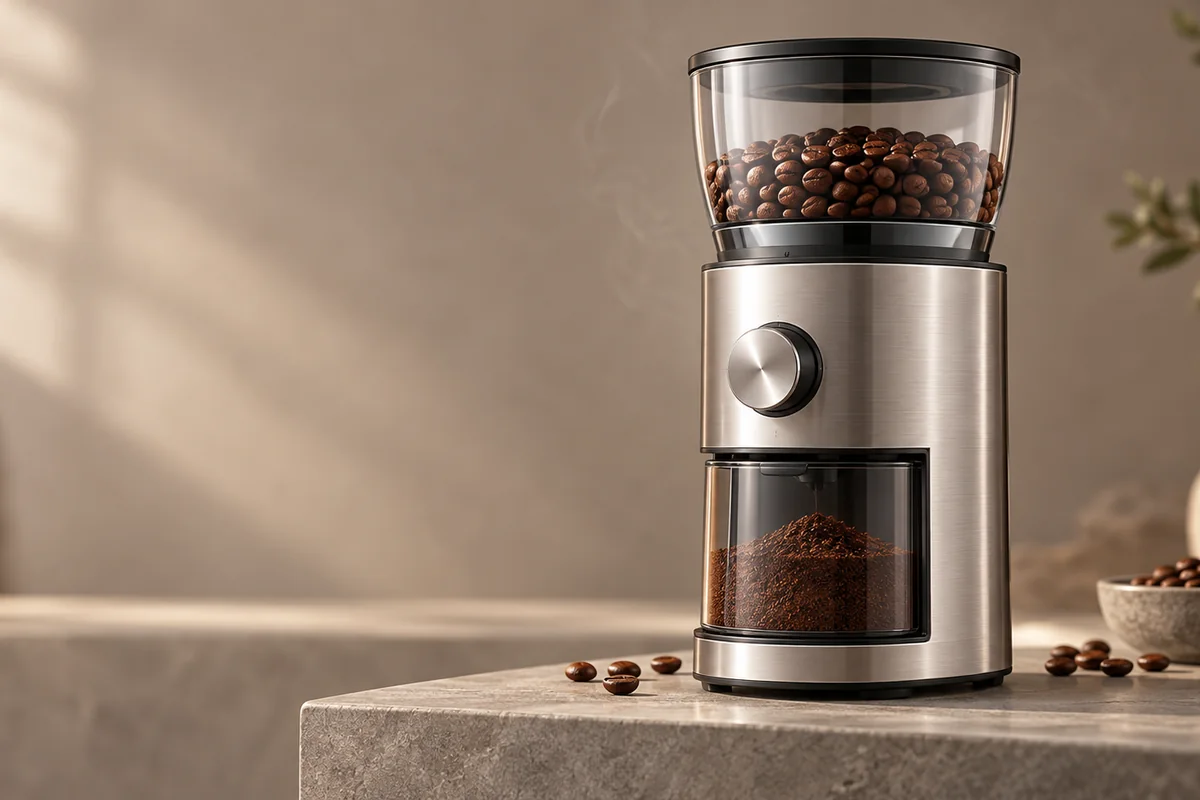
Coffee grinder reveal
Premium ecommerce product-video still of an original unbranded brushed-silver countertop coffee grinder on warm stone, slow controlled rotation, soft studio light moves across the metal, a few coffee beans remain fixed as props, preserve product geometry and controls, clean negative space, no labels or logos.
Bottle feature detail
Macro close-up of an original unbranded matte green insulated water bottle, slow lateral camera glide across the cap and brushed surface, soft daylight reflections, one small water droplet shifts, keep proportions and closure geometry stable, clean product listing video, no text.
Backpack in-use concept
Anonymous adult commuter places an original unbranded charcoal backpack on a bench in a bright station, one smooth camera push toward the front pocket, natural window light, realistic fabric texture, preserve straps, zips and bag shape, no visible brand marks or text.
Amazon product clip credit comparison
Credit totals use the current Everygen studio settings and are rounded up to a whole credit for each generation.
| Model | Length | Resolution | Credits |
|---|---|---|---|
| Kling 3.0 Turbo | 4 sec | 720p | 9 |
| Kling 3.0 Turbo | 8 sec | 720p | 18 |
| Seedance 2.5 | 4 sec | 720p | 16 |
| Seedance 2.5 | 4 sec | 1080p | 18 |
What matters most before you generate?
- Start with one clear action and one camera direction so the model has a specific motion to solve.
- Upload a clean first frame whenever product shape or a particular scene must stay consistent.
- Test a short, lower-cost generation before committing to a longer Seedance render.
- Review text, hands, product details, audio and disclosure requirements before publishing.