
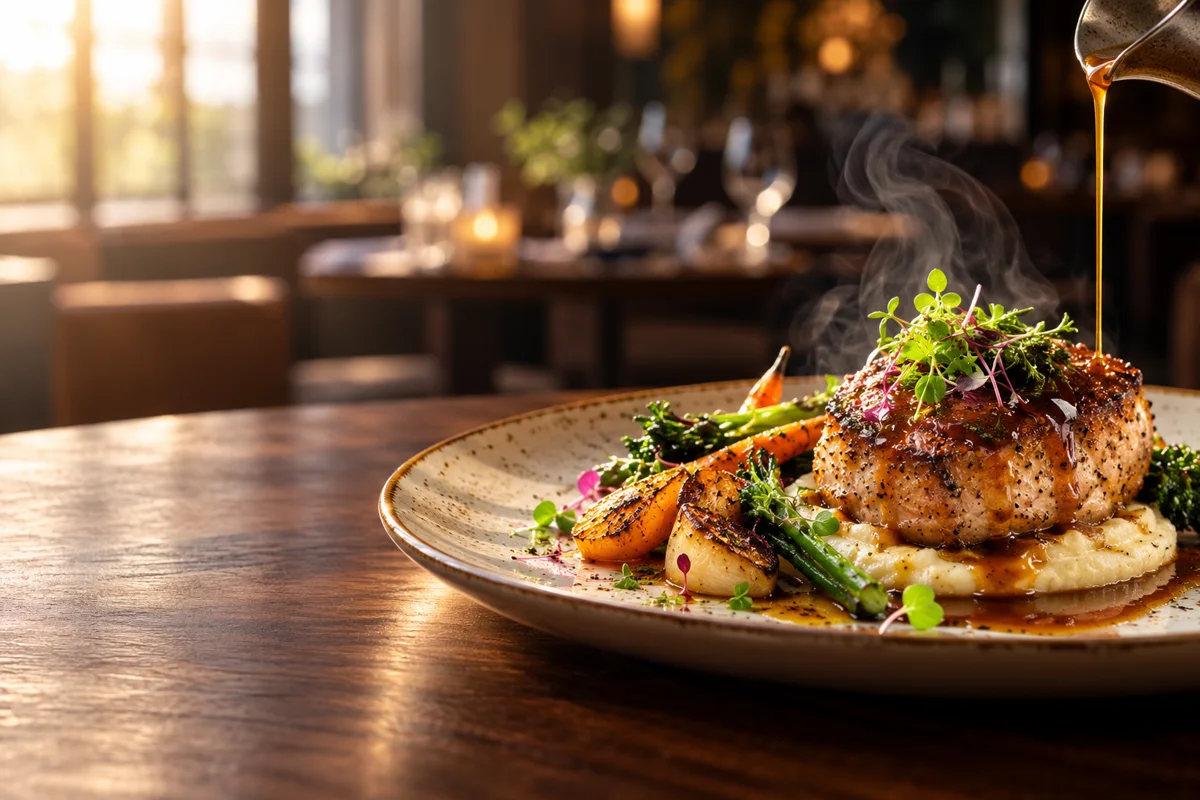
Can Everygen turn a food photo into a video?
Yes. A well-lit dish photo can become a four-to-eight second macro clip with rising steam, a sauce pour, changing highlights or a slow camera push. The first frame preserves the dish’s composition while the prompt directs motion.
- Choose a photo with a clear hero dish and enough room around the plate for camera movement.
- Use one texture cue: steam, glaze, condensation, a pour or a gentle garnish movement.
- Avoid changing the number of portions, ingredients or plate shape.
- Keep small menu text and prices out of the generated image.
Which videos should a restaurant make with AI?
Restaurants get the most value from short dish teasers, drink close-ups, dining-room atmosphere and local offer visuals. Each clip should communicate one appetite cue and leave room for the restaurant name, location and offer in the edit.
Use a macro angle for texture, sauce and steam.
Use a wider angle for a table setting or dining-room mood.
Use 9:16 for social discovery and 16:9 for a website, menu screen or YouTube placement.
Add factual prices, hours and locations after generation so they remain accurate and readable.
How do you write a restaurant video prompt?
Describe the dish, one appetizing motion and the lighting. For example: “macro three-quarter shot of grilled vegetables, light steam rising, slow push-in, warm window light, keep plate and ingredients stable.”
- Name the food, surface and camera angle.
- Choose one action that reveals texture or movement.
- State the lighting: window light, candlelight, kitchen light or studio light.
- Keep the clip short enough that the motion remains believable.
Which Everygen model is best for food videos?
Use Kling 3.0 Turbo for fast silent drafts and Seedance 2.5 when you need 1080p, more than 15 seconds or generated ambience and sound. Food close-ups usually benefit more from a precise image and restrained motion than from a longer prompt.
Kling 3.0 Turbo starts at 9 credits for a 4-second 720p clip.
Seedance 2.5 starts at 16 credits at 720p and supports native audio.
Check plate edges, cutlery, liquid and hand details before using a clip in a paid placement.
What should a restaurant verify before publishing?
Verify that the generated dish still matches what guests receive. AI can add or remove ingredients, alter portion size or make sauce and steam look more dramatic than reality.
Do not imply health benefits, awards or customer reviews that the restaurant cannot substantiate.
Keep allergy, dietary and ingredient information outside the generated frame and fact-check it.
Use platform AI-disclosure controls when required and review the restaurant’s local advertising rules.
What are good prompt examples?
Strong prompts describe a visible action, one location and one camera direction. Adapt the subject and product details rather than copying a prompt without checking the result.
Sauce pour macro
Extreme close-up of a plated grilled dish, glossy sauce slowly pouring from above, delicate steam rising, warm restaurant window light, keep the plate and vegetables stable, photorealistic food commercial.
Dining-room atmosphere
Slow lateral camera move through a warm intimate restaurant dining room, candle flames flicker, soft window light, empty elegant tables, shallow depth of field, no people, no signage.
Fresh drink reveal
Macro product shot of a clear citrus drink, condensation forms on the glass, ice shifts slightly, slow push-in, bright natural light, clean neutral table, no labels or text.
Restaurant clip planning guide
Credit totals use the current Everygen studio settings and are rounded up to a whole credit for each generation.
| Content | Useful motion | Suggested length | Format |
|---|---|---|---|
| Signature dish | Slow push-in | 4–8 sec | 9:16 |
| Sauce or pour | Macro action | 4 sec | 9:16 |
| Dining room | Lateral glide | 6–8 sec | 16:9 |
| Drink feature | Condensation and tilt | 4–6 sec | 9:16 |
What matters most before you generate?
- Start with one clear action and one camera direction so the model has a specific motion to solve.
- Upload a clean first frame whenever product shape or a particular scene must stay consistent.
- Test a short, lower-cost generation before committing to a longer Seedance render.
- Review text, hands, product details, audio and disclosure requirements before publishing.