
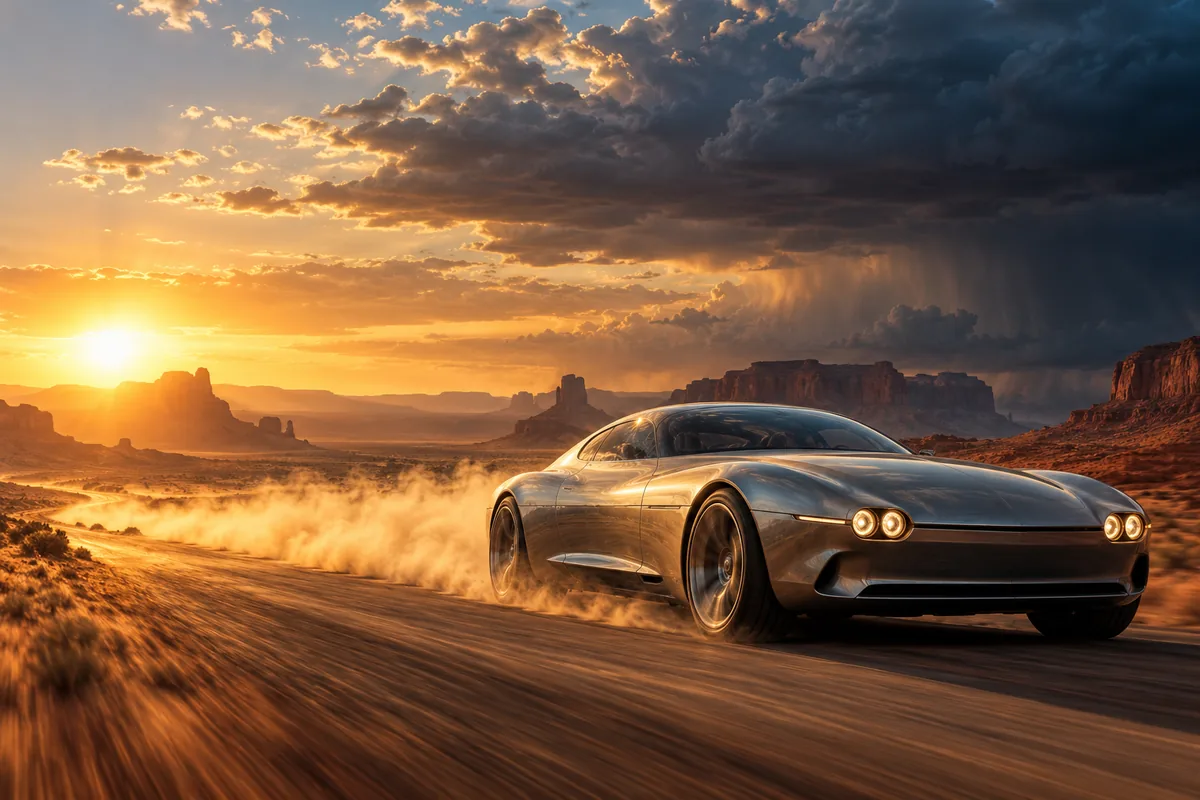
What makes an AI video look cinematic?
Cinematic is a result of composition, motivated lighting, controlled camera movement and restrained motion, not a keyword. A specific location, a clear subject and one deliberate camera move do more than stacking words such as “4K” or “movie quality.”
- Name the light source and direction: low sun, overcast window light, practical neon or a single hard key.
- Choose one camera behavior: slow push-in, lateral tracking, aerial reveal or a locked-off frame.
- Keep motion inside the shot physically plausible for the subject and the chosen framing.
- Use a widescreen ratio only when the composition benefits from horizontal space.
How do you prompt camera movement in Everygen?
Describe one camera move per generation and say where the camera starts and ends. A single controlled move is easier for the model to hold than a sequence of dolly, pan, zoom and cut instructions.
- Use “slow forward tracking shot” for an approach or reveal.
- Use “locked-off wide shot” when subject motion should carry the frame.
- Use “low-angle lateral tracking” for vehicles, runners or crowds.
- Use “slow crane up” for a landscape or scale reveal.
Which Everygen model is best for cinematic video?
Use Seedance 2.5 when the final shot needs 1080p, a 21:9 frame, native audio or up to 30 seconds. Use Kling 3.0 Turbo for quick 720p motion tests in 16:9 or 9:16 before committing more credits.
Seedance supports 480p, 720p and 1080p, plus 9:16, 16:9, 1:1, 4:3, 3:4, 21:9 and adaptive ratios.
Kling supports 4–15 second clips at 720p in 9:16, 16:9 and 1:1.
Both models support text-to-video and first-frame image-to-video.
How do you create a widescreen film look?
Choose 21:9 in Seedance 2.5 and compose the action across the frame rather than centering everything. Leave negative space for scale, horizon lines and movement, then add letterboxing or color grading in an editor if the final deliverable needs it.
- Describe foreground, subject and background layers to give the wide frame depth.
- Use atmospheric detail such as haze, dust or rain to separate planes.
- Do not expect the model to reproduce a specific lens, film stock or director.
- Add titles, credits and exact branding in post-production.
How much does a cinematic AI clip cost?
A four-second Kling 3.0 Turbo clip at 720p costs 9 credits. A four-second Seedance 2.5 clip costs 16 credits at 720p and 18 at 1080p. A 30-second Seedance clip at 1080p costs 132 credits.
Starter includes 900 credits per month, Pro includes 1,900 and Creator includes 3,800.
Annual Starter billing currently starts at $9 per month.
Test the camera move in a short draft before generating a long final.
What are good prompt examples?
Strong prompts describe a visible action, one location and one camera direction. Adapt the subject and product details rather than copying a prompt without checking the result.
Desert pursuit
Cinematic low-angle tracking shot of a fictional silver grand tourer speeding along a desert highway at sunset, dust trailing behind, mesas in the background, warm low sun and deep blue storm clouds, 21:9, one continuous camera move.
Rain street
Slow forward tracking shot through a rain-soaked night street, neon reflections on wet asphalt, a lone figure under a transparent umbrella, shallow depth of field, practical light only, 16:9.
Mountain reveal
Aerial camera rises through low cloud to reveal a snow-covered mountain ridge at first light, layered peaks, cold blue shadows and warm sun on the summit, slow continuous ascent, 21:9.
Cinematic shot credit examples
Credit totals use the current Everygen studio settings and are rounded up to a whole credit for each generation.
| Shot | Model | Duration · Resolution | Credits |
|---|---|---|---|
| Camera test | Kling 3.0 Turbo | 4 sec · 720p | 9 |
| Vertical teaser | Seedance 2.5 | 4 sec · 720p | 16 |
| Widescreen final | Seedance 2.5 | 8 sec · 1080p | 35 |
| Long establishing shot | Seedance 2.5 | 15 sec · 1080p | 66 |
| 30-second sequence | Seedance 2.5 | 30 sec · 1080p | 132 |
What matters most before you generate?
- Start with one clear action and one camera direction so the model has a specific motion to solve.
- Upload a clean first frame whenever product shape or a particular scene must stay consistent.
- Test a short, lower-cost generation before committing to a longer Seedance render.
- Review text, hands, product details, audio and disclosure requirements before publishing.