
What makes an AI video look realistic?
Realistic video depends on plausible light, material texture, motion and camera behavior. Ordinary details such as chipped paint, wrinkled fabric or overcast daylight sell a scene more than technical-sounding keywords.
- Name the light source and direction, including shadows and color temperature.
- Describe materials: wool, wet stone, brushed metal, skin, glass or fabric.
- Keep movement slow enough for the subject and camera to look physically plausible.
- Choose a camera height and distance a real person could use.
How do you prompt natural lighting and texture?
Use everyday lighting references such as overcast window light, late-afternoon sun, fluorescent store light or a single practical lamp. Add one or two texture cues that the camera can see, then stop rather than stacking adjectives.
- Use “soft overcast daylight with no hard shadows.”
- Use “warm tungsten light mixed with cool dusk through a window.”
- Use “visible skin texture, cotton fabric and small water droplets.”
- Use “slightly imperfect handheld framing” when a polished look would feel artificial.
How do you avoid unnatural motion?
Give the subject one action and the camera one behavior. Fast complex movement, multiple people interacting and dramatic camera moves increase the chance of warped limbs, unstable faces and object drift.
Use 4–8 second drafts to check hands, faces and object geometry.
Prefer a locked-off or slow camera move for close-ups.
Avoid asking for exact text, logos or fine mechanical actions.
For image-to-video, describe only the change that should happen after the first frame.
Which Everygen model is best for realistic video?
Use Seedance 2.5 when the clip needs 1080p, native audio or more than 15 seconds. Use Kling 3.0 Turbo for quick 720p tests where the subject is simple and the shot is short.
Seedance supports 4–30 seconds at 480p, 720p or 1080p.
Kling supports 4–15 seconds at 720p.
Both support text-to-video and first-frame image-to-video.
What are the limits of realistic AI video?
Generation can still produce unstable hands, changing facial features, text-like artifacts and inconsistent physics. Realistic style does not guarantee factual accuracy, and any person, product or location should be checked before publication.
- Review faces, hands, teeth, eyes and small objects frame by frame.
- Do not generate a real person’s likeness or a private location without permission.
- Add captions, disclosure and exact claims in an editor.
- Treat the output as a visual draft rather than a documentary record.
How much does a realistic AI video cost?
A four-second Kling 3.0 Turbo clip costs 9 credits. A four-second Seedance 2.5 clip costs 16 credits at 720p and 18 at 1080p. A 30-second Seedance clip at 1080p costs 132 credits.
Starter includes 900 credits per month, Pro includes 1,900 and Creator includes 3,800.
Annual Starter billing currently starts at $9 per month.
Test a short take before committing credits to a long realistic scene.
What are good prompt examples?
Strong prompts describe a visible action, one location and one camera direction. Adapt the subject and product details rather than copying a prompt without checking the result.
Morning market
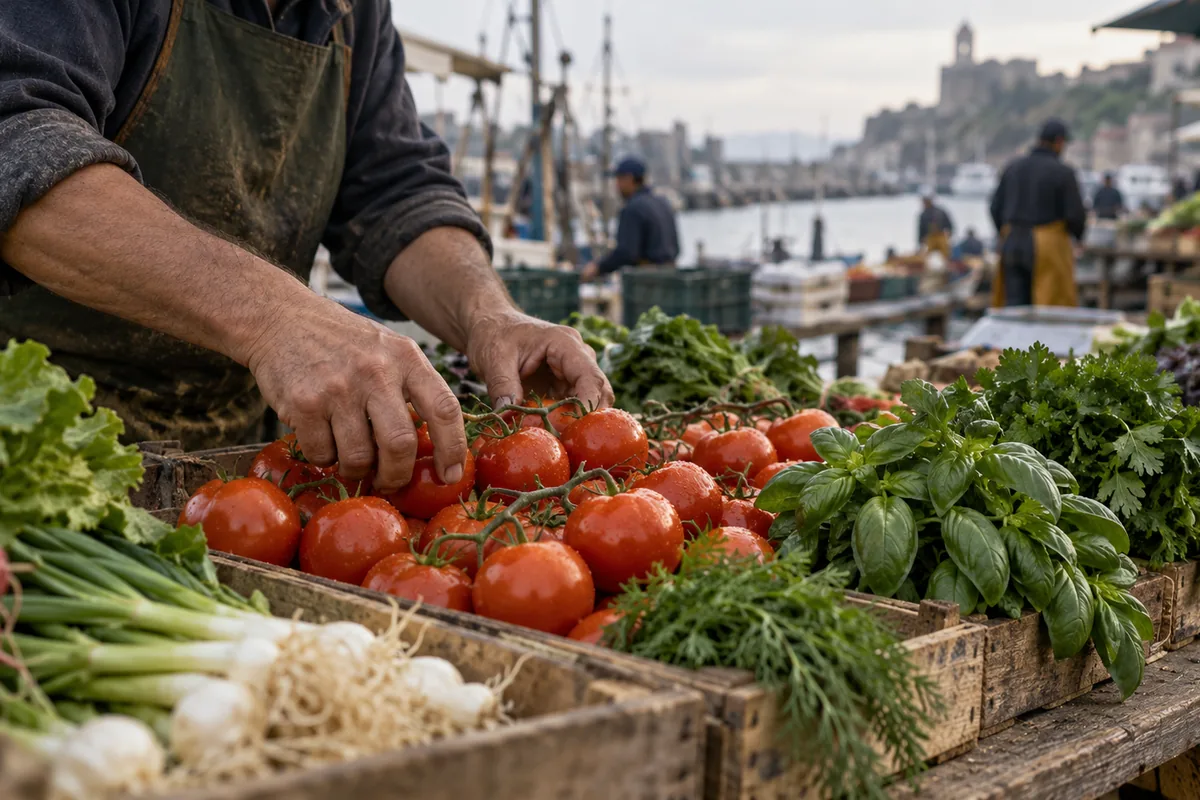
Documentary-style shot of hands arranging ripe tomatoes and basil on a weathered market stall, soft overcast morning light, natural skin texture, shallow depth of field, slow handheld camera, no visible logos.
Apartment window
A person opens a kitchen window in a small apartment, morning light falls across a wooden table, steam rises from a mug, gentle handheld camera, natural fabric and skin detail, quiet ordinary moment.
Coastal walk
A lone walker in a rain jacket moves along a wet coastal path, grey Atlantic light, wind moving grass and fabric, medium wide tracking shot, realistic weather and footing, 16:9.
Realistic clip credit examples
Credit totals use the current Everygen studio settings and are rounded up to a whole credit for each generation.
| Shot | Model | Duration · Resolution | Credits |
|---|---|---|---|
| Motion test | Kling 3.0 Turbo | 4 sec · 720p | 9 |
| Vertical documentary | Seedance 2.5 | 4 sec · 720p | 16 |
| Natural-light final | Seedance 2.5 | 8 sec · 1080p | 35 |
| Long interview scene | Seedance 2.5 | 15 sec · 1080p | 66 |
| 30-second sequence | Seedance 2.5 | 30 sec · 1080p | 132 |
What matters most before you generate?
- Start with one clear action and one camera direction so the model has a specific motion to solve.
- Upload a clean first frame whenever product shape or a particular scene must stay consistent.
- Test a short, lower-cost generation before committing to a longer Seedance render.
- Review text, hands, product details, audio and disclosure requirements before publishing.