
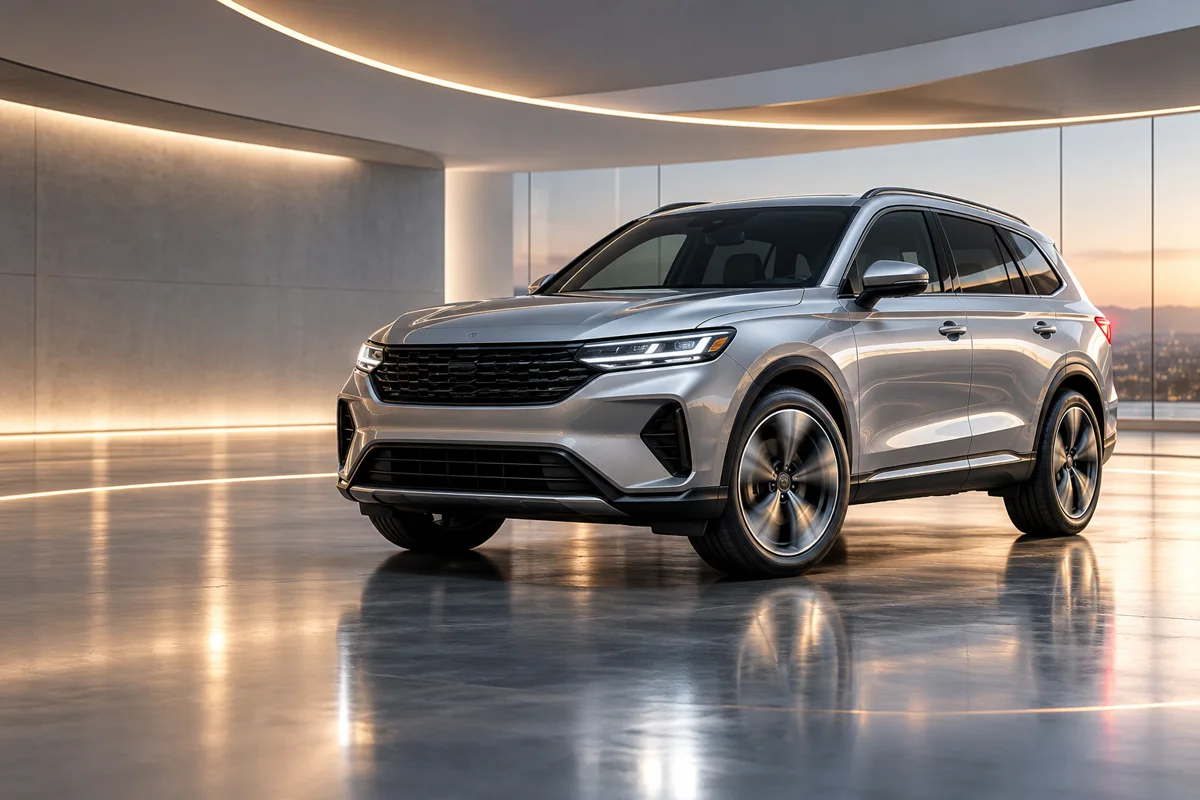
Can Everygen turn a vehicle photo into a video?
Yes. Upload a clear JPG, PNG or WebP vehicle image as the first frame, then describe a restrained camera orbit, light movement or detail push-in. The stock image anchors the vehicle while the prompt controls the surrounding motion.
- Use a sharp three-quarter exterior photo with the full vehicle visible.
- Keep wheel rotation and reflections subtle to avoid a fake showroom look.
- Describe one feature or camera move at a time.
- Check the grille, lights, trim and body shape for changes.
Which clips work for dealership inventory?
Useful inventory clips include a slow exterior reveal, a wheel or headlight detail, a color-and-light move around the vehicle and a short vertical social hook. They add motion to real photos without claiming a complete 360 or interior tour.
Use a slow reveal for the listing page hero.
Use one detail shot for social posts and retargeting.
Use 9:16 for Reels, TikTok and Shorts and 16:9 for inventory pages.
Keep stock numbers, pricing and financing terms outside the generated frame.
How do you write a car dealership video prompt?
Describe the vehicle, the camera move, the environment and what must stay fixed. For example: “slow three-quarter orbit around a silver SUV in a clean showroom, controlled reflections move across the body, preserve wheels, trim and vehicle proportions.”
- Name the body style and color only when they are visible in the source.
- Use “slow orbit,” “push-in” or “lateral glide” instead of several moves.
- State that badges, wheels, lights and body proportions must stay stable.
- Avoid asking the model to invent interiors, trim levels or performance features.
Which model is best for vehicle inventory clips?
Kling 3.0 Turbo is a lower-cost option for short 720p exterior drafts. Seedance 2.5 is useful for 1080p, longer clips and added ambient audio when the listing needs a more finished social asset.
A 4-second Kling 720p clip costs 9 credits; an 8-second clip costs 18 credits.
A 4-second Seedance 720p clip costs 16 credits and 18 credits at 1080p.
Test the motion on a short clip before producing a full listing set.
What must a dealership verify before publishing?
Compare the generated clip with the actual vehicle. AI can alter wheels, trim, paint, badges or body lines and cannot reveal damage or confirm optional equipment.
Do not use generated footage as a substitute for inspection or condition photos.
Keep VIN, price, mileage and financing claims in verified post-production copy.
Follow automotive advertising and synthetic-media disclosure requirements.
What are good prompt examples?
Strong prompts describe a visible action, one location and one camera direction. Adapt the subject and product details rather than copying a prompt without checking the result.
Showroom exterior reveal
Slow three-quarter orbit around a generic silver SUV in a clean modern showroom, controlled reflections move across the paint, preserve wheels, grille, trim and body proportions, warm ceiling lights, no badges or text.
Headlight detail
Close macro push-in on a modern unbranded SUV headlight, subtle LED glow changes, soft reflected showroom light moves across polished bodywork, keep surrounding panel geometry stable, premium automotive detail clip.
Vertical social hook
Vertical dealership social video, generic dark blue sedan revealed as a hand-held camera glides slightly from front wheel to windshield, bright outdoor light, reflections move naturally, preserve vehicle proportions and trim, no plate or logo.
Dealership inventory clip guide
Credit totals use the current Everygen studio settings and are rounded up to a whole credit for each generation.
| Inventory shot | Useful motion | Suggested length | Format |
|---|---|---|---|
| Exterior hero | Slow orbit | 4–8 sec | 16:9 |
| Social reveal | Handheld glide | 4 sec | 9:16 |
| Headlight or wheel detail | Macro push-in | 4 sec | 9:16 |
| Color and light | Lateral camera move | 4–6 sec | 1:1 |
What matters most before you generate?
- Start with one clear action and one camera direction so the model has a specific motion to solve.
- Upload a clean first frame whenever product shape or a particular scene must stay consistent.
- Test a short, lower-cost generation before committing to a longer Seedance render.
- Review text, hands, product details, audio and disclosure requirements before publishing.